In today’s digital age, where remote work and home offices have become the norm, the importance of an ergonomic and comfortable workspace cannot be overstated. A standing computer stand is a crucial component of any modern workspace, offering numerous benefits for both your physical well-being and productivity. Whether you’re a professional working long hours at a desk or a student engaged in online learning, investing in a quality computer stand can significantly enhance your daily routine. This comprehensive guide will explore the various types of computer stands, their benefits, and how to choose the perfect one for your needs.
Table of Contents
Types of Standing Computer Stands

Desktop Computer Stands
Desktop computer stands are designed to hold your desktop tower or monitor on your desk. They come in various styles, from simple risers to more complex setups with multiple tiers and compartments. These stands help organize your workspace, keep your equipment off the floor, and improve airflow around your computer components.
Monitor Stands
Monitor stands are specifically designed to hold your computer monitor at an optimal height and angle for comfortable viewing. They often feature adjustable height, tilt, and swivel mechanisms, allowing you to customize the position to suit your ergonomic needs. Some monitor stands also include additional features like cable management systems and USB hubs for added convenience.
Laptop Stands
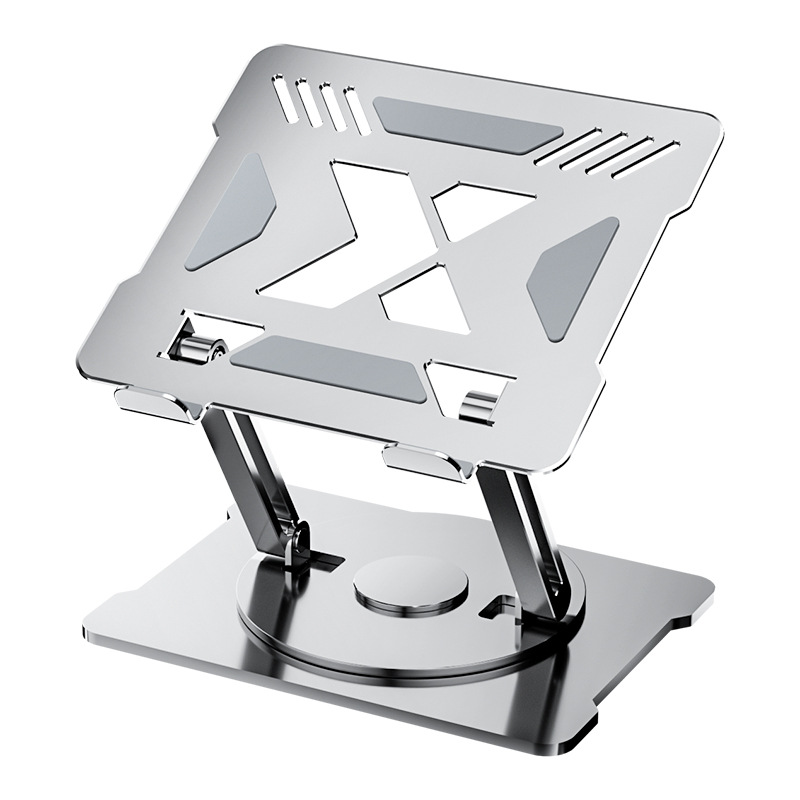
Laptop stands are tailored to support laptops, elevating them to eye level and improving posture during use. They often include adjustable height and angle settings, as well as cooling features to prevent overheating. Many laptop stands also incorporate USB ports or other connectivity options to enhance functionality.
Sit-Stand Computer Stands
Sit-stand computer stands have gained popularity in recent years due to their health benefits. These stands allow you to easily switch between sitting and standing positions throughout the day, reducing the strain on your back, neck, and shoulders. They typically feature a wide platform to accommodate both your monitor and keyboard, ensuring a comfortable and productive workspace whether you’re seated or standing.
Benefits of Using a Standing Computer Stand
Health Benefits
Using a standing computer stand can significantly improve your health. Prolonged sitting has been scientifically proven to increase the risk of cardiovascular diseases, diabetes, and many more health conditions leading to early death. Standing desks encourage more movement and better circulation, which can reduce this risk. Standing at a desk can also reduce back pain and neck stiffness, boost energy and productivity, and help with weight management.
Ergonomic Benefits
Standing computer stands promote better posture, encouraging you to stand upright with your shoulders back. Proper ergonomics, such as using an adjustable desk and monitor, can further improve your posture and reduce the risk of musculoskeletal issues. They also reduce strain on the neck and shoulders compared to sitting desks, where users tend to hunch over their screens.
Productivity Benefits
Standing desks can enhance productivity by keeping you more engaged and alert. Many users find that they can complete tasks more efficiently and with fewer distractions when they work in a standing position. Standing can also combat midday slumps and prevent the energy dips often associated with sitting for extended periods, leading to more consistent work output.
How to Choose the Right Standing Computer Stand
Consider Your Needs
When selecting a standing computer stand, consider your specific needs and preferences. If you work with multiple monitors, a monitor arm mount might be the best choice. For those who frequently travel, a lightweight and portable laptop stand would be more suitable. If you prioritize adjustability and ease of use, electrically adjustable stands offer the most convenience.
Adjustability
Look for stands with adjustable height, tilt, and swivel features to ensure they can accommodate your ergonomic needs. Adjustable standing desk converters allow you to switch between sitting and standing positions easily, promoting a healthy balance throughout the day. [^33# The Ultimate Guide to Standing Computer Stands: Enhance Your Workspace and Well-being
In the era of digital work and home offices, an ergonomic workspace is vital. A standing computer stand is a key component that can significantly boost both physical comfort and productivity. This article delves into the standing computer stand landscape, offering insights to help you make the best choice for your workspace.
The Significance of Standing Computer Stands
Alleviating Health Issues
Prolonged sitting is detrimental to health, increasing the risk of cardiovascular diseases, diabetes, and obesity. Standing computer stands encourage movement and better circulation. Studies show that using a standing desk can reduce back pain and discomfort, and may even lower the risk of chronic conditions like diabetes by reducing insulin spikes after meals.
Boosting Productivity and Comfort
Standing at a desk can enhance energy levels and reduce fatigue, leading to improved focus and productivity. The ability to switch between sitting and standing positions allows for greater flexibility and can help maintain engagement throughout the workday. Furthermore, standing desks can reduce physical discomfort, enabling individuals to concentrate better on their tasks.
Types of Standing Computer Stands
Sit-Stand Desk Converters
These versatile devices sit on top of existing desks and allow users to easily alternate between sitting and standing. They typically feature height-adjustable platforms to accommodate monitors, keyboards, and other accessories. For instance, the Mount-It! Standing Desk Converter has a height range of 4.3” – 19.9” and can support up to 37 lbs.
Monitor Arms and Riser Stands
Monitor arms attach to desks and hold monitors in adjustable positions, while monitor riser stands elevate monitors to eye level. Both options help reduce neck and shoulder strain. The Autonomous Monitor Arm offers 360-degree rotation and can lift up to 26 lbs.
Laptop Stands
Designed specifically for laptops, these stands raise the screen to a comfortable viewing angle and often include cooling features. Some models also offer adjustable height settings and additional connectivity options. The Tonmom Laptop Stand is lightweight and foldable, making it ideal for travel.

Key Considerations When Choosing a Standing Computer Stand
Adjustability and Customization
Select stands with adjustable height, tilt, and swivel features to meet individual ergonomic needs. Electrically adjustable stands offer the most convenience, while gas-spring and crank adjustments are more affordable options.
Stability and Durability
Ensure the stand is stable and can support the weight of your devices. Modern portable stands use innovative engineering to create stable platforms despite their lightweight design.
Workspace Compatibility
Consider the size and layout of your workspace when choosing a stand. Compact stands are suitable for smaller spaces, while larger stands with multiple tiers can accommodate more equipment.
Maximizing the Benefits of Your Standing Computer Stand
Proper Setup and Posture
Adjust the stand so the top of your screen is at or slightly below eye level. Maintain good posture by aligning your shoulders and hips, and distribute your weight evenly on your feet. Use an anti-fatigue mat to reduce strain on your feet and legs.
Balanced Sitting and Standing
Alternate between sitting and standing every 30 minutes to an hour to avoid prolonged periods in either position. This balance can help reduce discomfort and maximize the health benefits of using a standing desk.
Additional Ergonomic Practices
Pair your standing desk with an ergonomic chair for added comfort. Take short breaks to stretch and move around, and consider using a sit-stand reminder app to help you maintain a healthy balance throughout the day.
Conclusion
A standing computer stand is a worthwhile investment that can transform your workspace and positively impact your health and productivity. With various types and features available, there is a standing computer stand suitable for every need and preference. By prioritizing adjustability, stability, and compatibility, you can create a comfortable and efficient workspace that supports both your physical well-being and work performance.
How to Purchase:https://looperbuy.com/search?keywords=standing+computer+stand
Related Questions and Answers
Q: How can I prevent discomfort while using a standing computer stand?
A: To prevent discomfort, ensure your stand is properly adjusted to the correct height. Use an anti-fatigue mat to cushion your feet and legs. Maintain good posture by keeping your shoulders and hips aligned. Take regular breaks to stretch and move around, and consider wearing comfortable shoes.
Q: Are there any downsides to using a standing computer stand?
A: Some users may find standing for long periods tiring or uncomfortable, especially if the stand is not set up correctly. It may take time to get used to a standing desk, and some individuals might experience foot or leg fatigue. Ensuring proper setup and taking regular breaks can help mitigate these issues.
Q: Can I use a standing computer stand with multiple monitors?
A: Yes, many standing computer stands, especially monitor arms and sit-stand desk converters, are designed to accommodate multiple monitors. Look for stands with sufficient weight capacity and adjustable features to support your specific setup.
Q: How do I choose between a sit-stand desk converter and a monitor arm?
A: If you primarily use a desktop computer with multiple monitors, a monitor arm may be more suitable. For greater flexibility in switching between sitting and standing positions, especially when using a laptop or a single monitor, a sit-stand desk converter is a better choice.
Q: Are standing computer stands suitable for home office environments?
A: Absolutely. Standing computer stands are ideal for home office environments, helping to create a more ergonomic and productive workspace. They can enhance comfort during long work hours and promote better health by reducing the negative effects of prolonged sitting.
Hot Tags:
Standing Computer Stand;Sit-Stand Desk Converter;Ergonomic Workspace;Home Office Essentials;Computer Stand Benefits;Laptop Stand;Monitor Stand;Adjustable Desk;Office Ergonomics;Productivity Boosters