Table of Contents
Introduction
In today’s digital world, spending long hours at a desk is common for many professionals and enthusiasts. A computer keyboard tray might seem like a small addition to your workspace, but it can significantly impact your comfort, ergonomics, and productivity. This comprehensive guide explores everything you need to know about computer keyboard trays, from their benefits to selection criteria and installation tips.
What is a Computer Keyboard Tray?
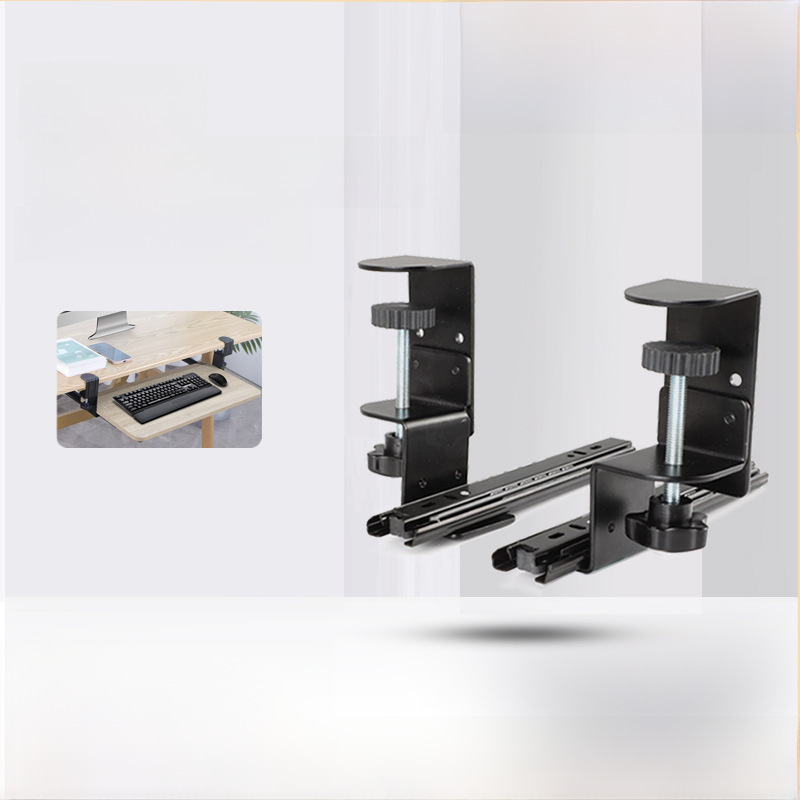
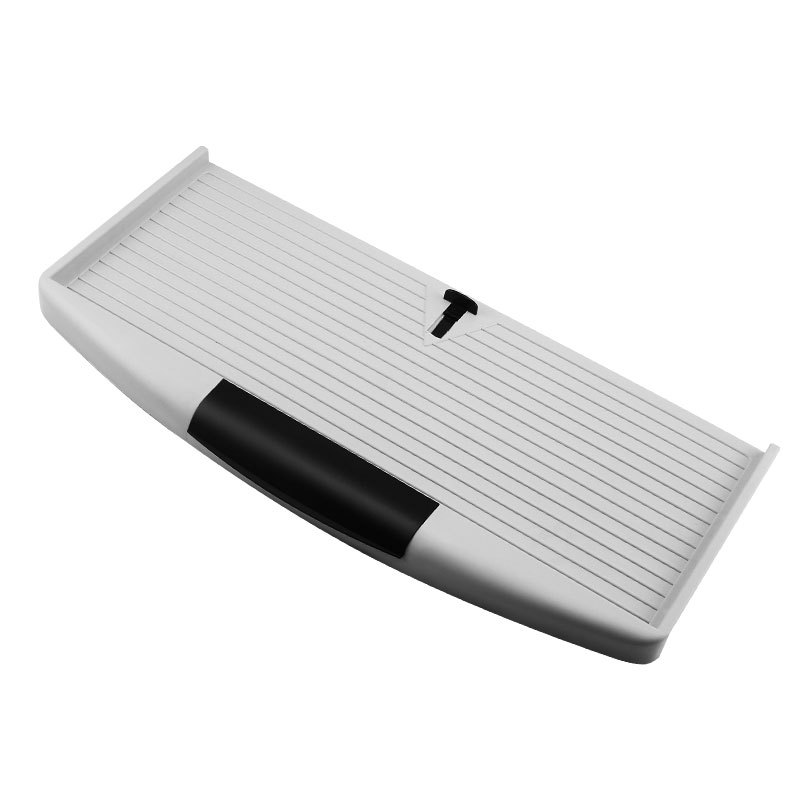
A computer keyboard tray, also known as a pull-out keyboard tray or keyboard drawer, is a sliding platform designed to hold your keyboard and mouse. It attaches to your desk and can be easily extended or retracted, allowing you to position your keyboard at an ergonomic height and distance while saving desk space.
Benefits of Using a Computer Keyboard Tray
- Ergonomic Advantages: Proper positioning of the keyboard can reduce strain on your wrists, shoulders, and neck, minimizing the risk of repetitive strain injuries (RSIs) like carpal tunnel syndrome.
- Space Efficiency: A keyboard tray keeps your desk clutter-free by providing a dedicated space for your keyboard and mouse, giving you more surface area for other tasks.
- Improved Posture: By allowing you to keep your arms at a comfortable angle, a keyboard tray can help maintain better posture and reduce back pain.
- Customizable Workspace: Many models offer adjustable height, tilt, and depth, enabling you to tailor your workspace to your body dimensions and preferences.
Types of Computer Keyboard Trays
Understanding the different types of keyboard trays can help you choose the one that best fits your needs:
Under-Desk Keyboard Trays
These trays attach beneath your desk surface and are ideal for maximizing vertical space. They are often used in office settings where desk space is limited. Some models include a mouse platform integrated into the tray.
On-Desk Keyboard Trays
Designed to sit on top of your desk, these trays are easy to install and don’t require tools for attachment. They are suitable for users who frequently change workspaces or rent their office space. Many on-desk trays offer features like wrist rests and cable management solutions.
Standing Desk-Compatible Keyboard Trays
As standing desks grow in popularity, specialized keyboard trays designed to work with them have emerged. These trays allow for smooth transitions between sitting and standing positions while maintaining ergonomic keyboard placement. They often have mechanisms to adjust height quickly.
Corner Keyboard Trays
For desks placed in corners, corner keyboard trays utilize the often underused space efficiently. They can swing out from the corner, providing convenient access to the keyboard without taking up additional footprint.
Key Features to Look for in a Computer Keyboard Tray
When selecting a computer keyboard tray, consider these important features:

Adjustability
Look for trays with height, tilt, and depth adjustments. This allows you to position the keyboard at the optimal angle for your comfort, whether you’re sitting or standing.
Load Capacity
Ensure the tray can support the weight of your keyboard, mouse, and any other accessories you plan to place on it. Most trays support between 10 to 20 pounds, but verify this based on your specific needs.
Material and Durability
Trays come in materials like metal, plastic, and wood. Metal trays are generally more durable and can support heavier loads, while plastic trays may be lighter and sufficient for less intensive use.
Cable Management
A good keyboard tray should include cable management features such as channels, clips, or grommets to keep wires organized and prevent tangling.
Noise Reduction
Some trays incorporate features like rubberized surfaces or dampening materials to reduce noise when typing or moving the tray.
How to Choose the Right Computer Keyboard Tray
Selecting the perfect keyboard tray involves considering several factors:
Your Desk Type and Space
Measure your desk’s available space and ensure the tray fits properly. For under-desk trays, check the vertical clearance between the desk surface and the floor. On-desk trays should fit within your desk’s depth and width.
Your Usage Habits
If you frequently switch between sitting and standing, a standing desk-compatible tray is ideal. For gamers or heavy typists, consider a tray with a sturdy build and sufficient space for multiple devices.
Budget
keyboard trays vary in price from affordable plastic models to premium metal ones with advanced features. Determine your budget and prioritize features that offer the most value for your needs.
Top Computer Keyboard Tray Brands to Consider
Several brands are known for producing high-quality keyboard trays:
Ergotron
Ergotron offers a range of ergonomic solutions, including keyboard trays designed for both sitting and standing positions. Their products are known for durability and adjustability, making them popular in office environments.
Fellowes
Fellowes provides a variety of keyboard trays with features like easy-adjust height mechanisms and cable management solutions. Their trays are user-friendly and built to last.
Humanscale
Humanscale focuses on ergonomic design, producing keyboard trays that enhance user comfort. Their trays often include innovative features such as weight-activated spring mechanisms for smooth operation.
Varidesk
Varidesk specializes in standing desk accessories, including keyboard trays that seamlessly integrate with their standing desks. Their trays offer easy adjustments and space-efficient designs.
3M
3M’s keyboard trays are recognized for their quality and reliability. They offer a range of options with features like adjustable tilt and integrated mouse platforms.
How to Install a Computer Keyboard Tray
Proper installation ensures your keyboard tray functions smoothly and provides the intended benefits:
Under-Desk Tray Installation
- Clear the area under your desk and ensure it’s free of obstructions.
- Attach the mounting brackets to the underside of your desk, following the manufacturer’s instructions.
- Secure the tray to the brackets, ensuring it’s level and properly aligned.
- Adjust the height and tilt settings to your preferred position.
On-Desk Tray Installation
- Place the tray on your desk and ensure it’s positioned where you want it.
- Some trays may have non-slip pads or adjustable feet to stabilize them. Adjust these as needed.
- Connect your keyboard and mouse to your computer.
- Organize cables using the tray’s cable management features.
Ergonomic Tips for Using a Computer Keyboard Tray
To maximize the ergonomic benefits of your keyboard tray:
- Position the keyboard so that your elbows rest at a 90-100 degree angle.
- Keep your wrists in a neutral position, avoiding bending them upward or downward.
- Place the mouse close to the keyboard to minimize reaching.
- Adjust the tray’s height so that your shoulders relax and don’t hunch.
Maintenance and Cleaning of Your Keyboard Tray
Regular maintenance ensures your keyboard tray remains functional and clean:
Dusting and Cleaning
Wipe down the tray surface regularly with a damp cloth to remove dust and debris. Use a slightly dampened microfiber cloth for metal surfaces to avoid scratches.
Checking Moving Parts
Inspect the sliding mechanisms and hinges periodically. Apply a small amount of lubricant if the tray begins to move roughly or stick.
Organizing Cables
Reorganize cables as needed to prevent tangling and maintain a neat workspace. Replace any worn cable ties or clips.
Conclusion
A computer keyboard tray is a simple yet powerful addition to any workspace, offering ergonomic benefits and improved productivity. By understanding the different types, key features, and proper usage techniques, you can select a keyboard tray that enhances your comfort and efficiency. Investing in a quality keyboard tray is an investment in your health and work performance.
How to Purchase:https://looperbuy.com/search?keywords=cashmere+scarf+men
Frequently Asked Questions
Q: Can a computer keyboard tray help prevent carpal tunnel syndrome?
A: While a keyboard tray alone cannot prevent carpal tunnel syndrome, it can significantly reduce wrist strain when used ergonomically. Proper positioning of the keyboard to maintain a neutral wrist posture is crucial in minimizing the risk of RSIs.
Q: How much space do I need under my desk for an under-desk keyboard tray?
A: Most under-desk keyboard trays require a minimum of 10 to 12 inches of vertical clearance. However, this can vary by model, so measure your desk and check the tray’s specifications before purchasing.
Q: Are computer keyboard trays difficult to install?
A: Installation difficulty varies by type. Under-desk trays typically require attaching brackets and some tools, while on-desk trays are often simply placed on the desk. Follow the manufacturer’s instructions for a smooth installation.
Q: Can I use a keyboard tray with a gaming keyboard and mouse?
A: Yes, many keyboard trays are designed to accommodate gaming peripherals. Ensure the tray has sufficient load capacity and space for your devices, including any additional features like wrist rests or RGB lighting.
Q: Are computer keyboard trays compatible with all desk types?
A: Most trays are designed to fit standard desks, but compatibility can vary. Check the tray’s dimensions and mounting requirements to ensure it works with your specific desk type, whether it’s wooden, metal, or a standing desk.
Hot Tags: Computer Keyboard Tray; Ergonomic Desk Accessories; Under Desk Keyboard Tray; Keyboard Drawer; Office Desk Organizers; Adjustable Keyboard Tray; Standing Desk Keyboard Tray; Desk Space Saver; Keyboard Tray With Mouse Platform; Ergonomic Keyboard Support