Table of Contents
Introduction to Computer Radiators
In the realm of computing, maintaining optimal performance is crucial, and one of the key components in achieving this is the computer radiator. As technology advances, the components within computers generate more heat, necessitating effective cooling solutions. This article delves into the importance of computer radiators, how to clean them effectively, and considerations for purchasing the right radiator for your needs.
Understanding Computer Radiators
What is a Computer Radiator?
A computer radiator is a heat exchanger that dissipates heat from the liquid coolant used in liquid cooling systems. It plays a vital role in maintaining the temperature of critical components such as the CPU and GPU, ensuring they operate efficiently and do not overheat.
How Do Radiators Work?
The operation of a computer radiator involves several key processes:
- Coolant Circulation: The liquid coolant absorbs heat from the CPU and GPU as it circulates through the system. This heated coolant then flows to the radiator.
- Heat Exchange: Inside the radiator, the coolant passes through a series of tubes. As the coolant flows through these tubes, it releases heat to the surrounding air.
- Airflow: Fans attached to the radiator help to increase airflow, enhancing the heat exchange process. The fans draw cooler air from the environment and push it through the radiator fins, allowing for efficient heat dissipation.
- Return to the System: After passing through the radiator, the cooled liquid returns to the CPU and GPU to absorb more heat, continuing the cycle.
The Importance of Cleaning Your Computer Radiator
Why Regular Cleaning is Essential
Over time, dust and debris can accumulate on the radiator and its components, hindering airflow and reducing cooling efficiency. Regular cleaning is essential to maintain optimal performance and prevent overheating.
Signs Your Radiator Needs Cleaning
- Increased Temperatures: If you notice that your computer is running hotter than usual, it may be time to clean the radiator.
- Dust Accumulation: A visible layer of dust on the radiator or fans is a clear indicator that cleaning is needed.
- Noise from Fans: If the fans are running louder than normal, it may be due to dust buildup affecting their performance.

How to Clean Your Computer Radiator
Tools and Materials Needed
Before you begin cleaning your radiator, gather the following tools and materials:
- Compressed air canister
- Soft brush or microfiber cloth
- Isopropyl alcohol (optional)
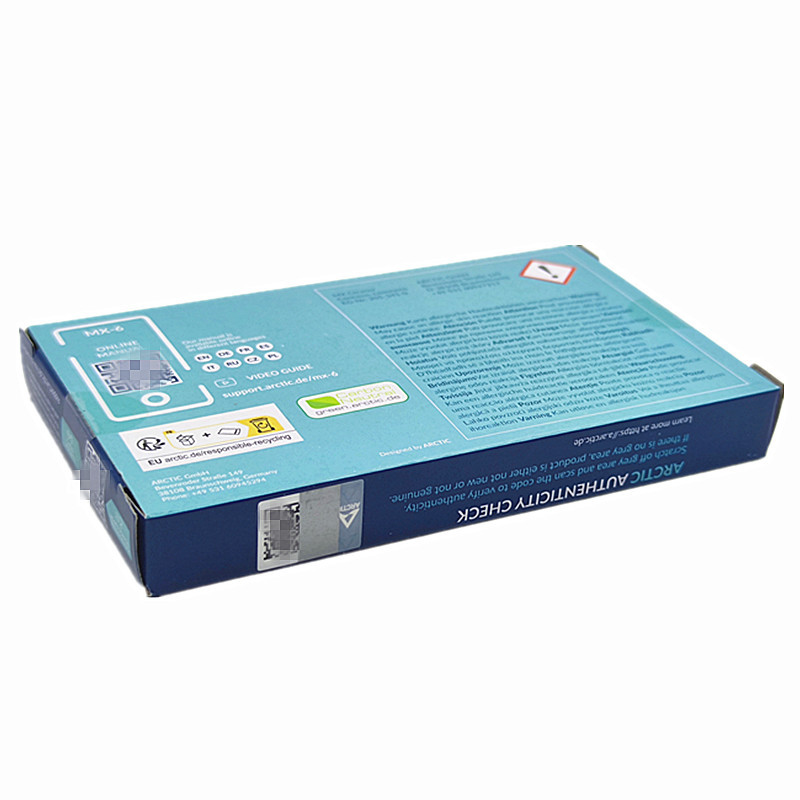
- Screwdriver (if disassembly is required)
- Vacuum cleaner with a brush attachment (optional)
Step-by-Step Cleaning Process
Step 1: Power Down and Unplug
Before cleaning, ensure that your computer is powered down and unplugged from the electrical outlet. This is crucial for your safety and to prevent any damage to the components.
Step 2: Open the Case
Using a screwdriver, carefully remove the side panel of your computer case to access the radiator and other components. Make sure to keep the screws in a safe place for reassembly.
Step 3: Remove Dust with Compressed Air
Using a can of compressed air, gently blow out dust from the radiator fins and fans. Hold the can upright to avoid moisture buildup and use short bursts of air to prevent damage.
Step 4: Clean the Fans
If the fans are particularly dirty, you can use a soft brush or microfiber cloth to wipe them down. Be careful not to apply too much pressure, as this can damage the fan blades.
Step 5: Check for Blockages
Inspect the radiator for any blockages or debris that may be obstructing airflow. If you find any, carefully remove them with your fingers or a soft brush.
Step 6: Reassemble and Test
Once the radiator and fans are clean, reattach the side panel of your computer case and plug it back in. Power on your computer and monitor the temperatures to ensure that the cleaning was effective.
Purchasing the Right Computer Radiator
Factors to Consider
When purchasing a computer radiator, several factors should be taken into account:
- Size and Compatibility: Ensure that the radiator fits within your computer case and is compatible with your cooling system.
- Cooling Performance: Look for radiators with high thermal conductivity and efficient airflow to ensure optimal cooling performance.
- Material: Radiators are typically made from copper or aluminum. Copper offers better thermal conductivity, while aluminum is lighter and more cost-effective.
- Aesthetics: Consider the design and appearance of the radiator, especially if you want it to match your build’s aesthetic.
Where to Buy
There are several options for purchasing computer radiators, including:
- Online Retailers: Websites like Amazon, Newegg, and specialized computer hardware stores offer a wide selection of radiators.
- Local Computer Shops: Visiting a local computer shop can provide the opportunity to see the product in person and receive expert advice.
- Dropshipping Platforms: If you’re a retailer, consider using dropshipping platforms to offer a variety of radiators without holding inventory.
Conclusion
Understanding how computer radiators work and the importance of regular maintenance is essential for anyone involved in the computing industry. By keeping your radiator clean and choosing the right one for your system, you can ensure optimal performance and longevity for your computer. For retailers, particularly those in the dropshipping space, offering quality radiators can be a lucrative opportunity. By navigating the challenges of the dropshipping model and focusing on customer satisfaction, businesses can thrive in this competitive market.
Elevate your computer’s performance and ensure optimal cooling by exploring the top-quality radiators and components available at LooperBuy. Don’t miss out on the chance to enhance your setup—visit us today: LooperBuy.
Related Questions & Answers
· What are the key differences between different radiator materials like copper and aluminum? Copper offers better thermal conductivity, while aluminum is lighter and more cost-effective.
· How does radiator size and fan configuration affect cooling performance? Larger radiators with more fans typically provide better cooling performance due to increased surface area and airflow.
· What are the best practices for maintaining a computer liquid cooling system with a radiator? Regularly clean the radiator and fans, check for leaks, and ensure proper coolant levels to maintain optimal performance.
· What are the benefits of using a liquid cooling system with a radiator? Liquid cooling systems can provide better cooling performance, quieter operation, and more efficient heat dissipation compared to air cooling.
· How do I know if my radiator is compatible with my cooling system? Check the specifications of both the radiator and your cooling system to ensure they match in terms of size, fittings, and cooling capacity.
Hot Tags: Computer Cooling; Liquid Cooling; Radiator Functionality; E-Commerce; Dropshipping; Gaming Hardware; Supply Chain; Product Quality; Market Trends