In today’s digital age, transferring data between devices is a common necessity. Whether you’re upgrading to a new computer, sharing files with a friend, or backing up important documents, a data transferring USB cable can be an invaluable tool. This article explores the various aspects of data transferring USB cables, including their types, uses, advantages, and tips for effective data transfer. Understanding these elements can help you make informed decisions about your data transfer needs and enhance your overall experience.
Table of Contents
Understanding Data Transferring USB Cables
What is a Data Transferring USB Cable?
A data transferring USB cable is specifically designed to facilitate the transfer of data between devices. Unlike standard USB cables, which may only charge devices, these cables often come with additional features that enable direct data communication. They are commonly used to connect computers, external hard drives, and other peripherals. The ability to transfer data quickly and efficiently makes these cables essential for anyone who regularly moves files between devices, whether for personal or professional use.
Types of Data Transferring USB Cables
There are several types of USB cables used for data transfer, each serving different purposes:
USB-A to USB-B Cables
These cables are typically used to connect printers and other peripherals to a computer. The USB-A end connects to the computer, while the USB-B end connects to the device. This type of cable is essential for many office environments where printers and scanners are frequently used, allowing for seamless communication between devices.
USB-A to USB-C Cables
With the rise of modern devices, USB-C cables have become increasingly popular. They offer faster data transfer speeds and can connect to a variety of devices, including smartphones, tablets, and laptops. USB-C cables are reversible, meaning they can be plugged in either way, which adds to their convenience. This versatility makes them a preferred choice for many users who own multiple devices.
USB-C to USB-C Cables
These cables are used for devices that support USB-C on both ends. They are ideal for transferring data between newer laptops and smartphones. As more manufacturers adopt USB-C as the standard port, these cables are becoming more common in everyday use. They support high-speed data transfer and can also deliver power, making them a multifunctional option.
USB Bridge Cables
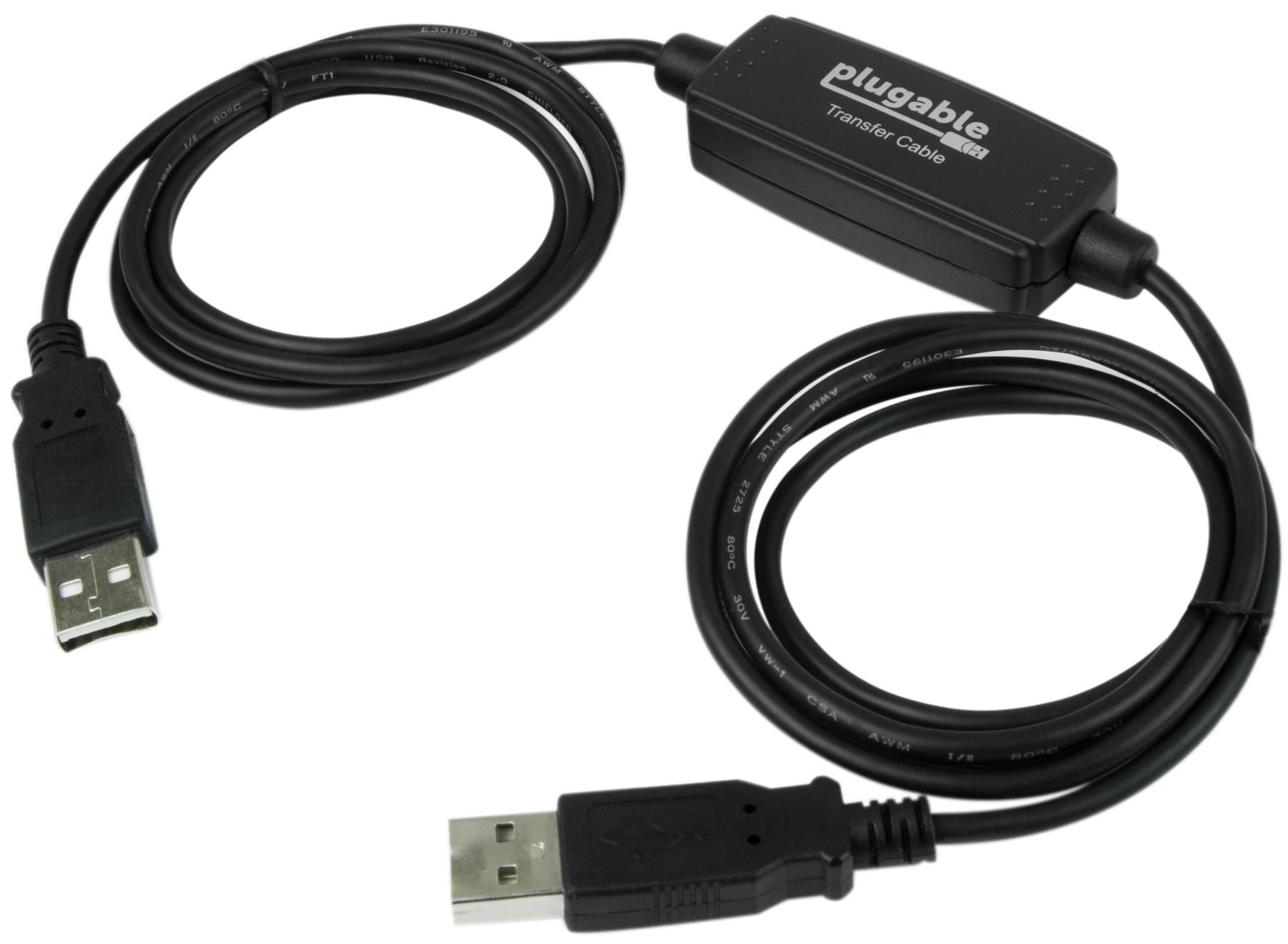
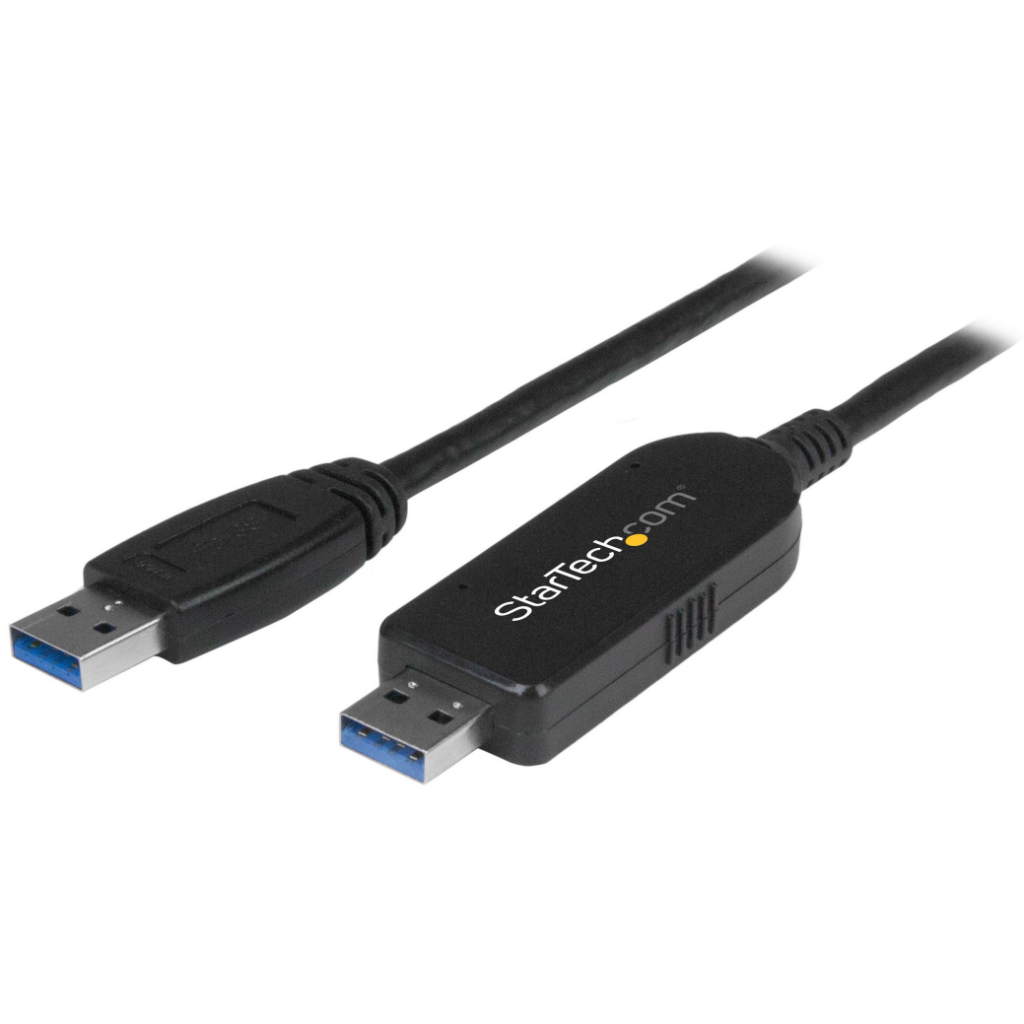
USB bridge cables are designed specifically for transferring data between two computers. They often come with software that simplifies the transfer process, making it easy to move files from one machine to another. This type of cable is particularly useful for users who are upgrading their systems or need to share large amounts of data quickly.
How to Use a Data Transferring USB Cable
Preparing for Data Transfer
Before you begin transferring data, ensure that both devices are ready. This includes:
– Updating Software: Make sure that the operating systems and drivers on both devices are up to date. This can prevent compatibility issues during the transfer. Keeping your software current not only enhances performance but also ensures that you have the latest security features to protect your data.
– Installing Necessary Software: If you’re using a USB bridge cable, install any required software on both computers to facilitate the transfer. This software often provides a user-friendly interface that guides you through the transfer process, making it easier to manage your files.
Steps to Transfer Data
1. Connect the Cable: Plug the USB cable into both devices. If using a USB bridge cable, ensure that the software is running on both computers. A secure connection is crucial for a successful transfer, so make sure the cables are firmly plugged in.
2. Select Files: On the source device, select the files you wish to transfer. This can include documents, photos, and videos. Organizing your files into folders can make this step more efficient, allowing you to quickly locate and select the items you want to move.
3. Initiate Transfer: Follow the prompts provided by the software or drag and drop the selected files to the destination device. Many transfer applications will show a progress bar, allowing you to monitor the status of your transfer in real-time.
4. Complete the Transfer: Once the transfer is complete, safely eject the USB cable from both devices to avoid data corruption. This step is important as it ensures that all files have been properly written to the destination device before disconnecting.
Advantages of Using Data Transferring USB Cables
Speed and Efficiency
One of the primary benefits of using a data transferring USB cable is the speed of file transfers. USB 3.0 cables can transfer data at speeds up to 5 Gbps, significantly faster than most cloud-based solutions. This makes them ideal for transferring large files or backing up entire systems. The efficiency of USB cables can save you time, especially when dealing with extensive data sets or high-resolution media files.
Direct Connection
Using a USB cable allows for a direct connection between devices, eliminating the need for an internet connection. This is particularly useful in areas with limited connectivity or when transferring sensitive data that should not be uploaded to the cloud. A direct connection also reduces the risk of data loss or corruption that can occur during wireless transfers.
Ease of Use
Data transferring USB cables are generally easy to use. Most require minimal setup, and the process of transferring files is straightforward, making them accessible for users of all technical levels. Even those who are not tech-savvy can quickly learn how to use these cables, making them a practical choice for everyone.
Common Uses for Data Transferring USB Cables
Upgrading to a New Computer
When upgrading to a new computer, a data transferring USB cable can simplify the process of moving files from the old machine. This allows users to quickly set up their new device without the hassle of manually copying files. Many users find that using a USB cable is faster and more reliable than using external hard drives or cloud services for this purpose.
Sharing Files with Friends
If you need to share large files with friends or colleagues, a USB cable can be a quick and efficient solution. Simply connect the devices and transfer the files directly, bypassing email or cloud storage limitations. This method is particularly useful for sharing high-resolution images, videos, or large documents that may exceed email attachment limits.
Backing Up Important Data
Regularly backing up important data is crucial for preventing loss. A data transferring USB cable can facilitate quick backups to external hard drives, ensuring that your files are safe and secure. Establishing a routine for backing up your data can provide peace of mind, knowing that your important files are protected against hardware failures or accidental deletions.
Tips for Effective Data Transfer
Choose the Right Cable
Selecting the appropriate USB cable for your devices is essential. Ensure that the cable supports the necessary data transfer speeds and is compatible with both devices. Using the wrong type of cable can lead to slower transfer speeds or even failure to connect, so it’s important to do your research before making a purchase.
Organize Your Files
Before transferring, organize your files into folders. This not only makes the transfer process smoother but also helps you locate files more easily on the destination device. A well-organized file structure can save you time and frustration when searching for specific documents later on.
Monitor Transfer Progress
Keep an eye on the transfer progress to ensure that all files are being copied correctly. If any errors occur, you can address them immediately rather than discovering issues later. Many transfer applications provide notifications or alerts if a problem arises, allowing you to take corrective action promptly.
Conclusion
A data transferring USB cable is a powerful tool that can simplify the process of moving files between devices. With various types available, users can choose the best option for their needs, whether for upgrading computers, sharing files, or backing up data. By following best practices and understanding how to use these cables effectively, you can enhance your data transfer experience. As technology continues to evolve, the importance of efficient data transfer methods will only grow, making data transferring USB cables an essential accessory for anyone who relies on digital devices.
How To Purchase:https://looperbuy.com/search?keywords=data+transferring+usb+cable
Related Questions and Answers
1. What is the difference between a standard USB cable and a data transferring USB cable?
A standard USB cable is primarily used for charging devices, while a data transferring USB cable is designed specifically for transferring data between devices.
2. Can I use a USB-C cable for data transfer?
Yes, USB-C cables are capable of transferring data and are often faster than older USB types, making them ideal for modern devices.
3. How do I know if my USB cable supports data transfer?
Check the specifications of the cable. If it is labeled as a data transfer cable or USB bridge cable, it is designed for that purpose.
4. Is it safe to transfer sensitive data using a USB cable?
Yes, transferring data via a USB cable is generally safe, especially if you are using a direct connection between trusted devices.
5. What should I do if my data transfer fails?
If a data transfer fails, check the connections, ensure that both devices are powered on, and verify that the correct software is installed. Restarting the devices may also help resolve the issue.