Wireless phone charging has become a standard feature in many modern vehicles, including the BMW X4. However, users often encounter issues with this convenient technology. If you find yourself asking, “Why is my BMW X4 wireless phone charging not working?” you’re not alone. This article will explore the common reasons for wireless charging failures, troubleshooting steps, and tips to ensure your device charges effectively.
Table of Contents
Understanding BMW X4 Wireless Phone Charging
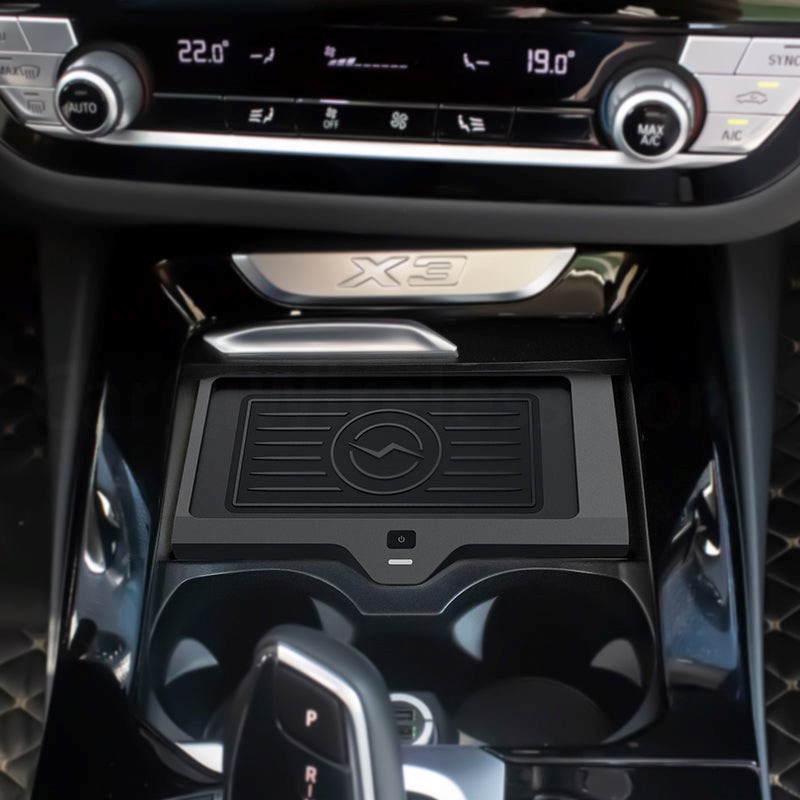
Wireless charging in the BMW X4 utilizes the Qi standard, which is compatible with most modern smartphones. The charging pad is typically located in the center console, designed to provide a seamless charging experience without the need for cables. This feature not only enhances convenience but also reduces clutter in the vehicle. However, several factors can affect its performance, leading to frustration for users who rely on this technology for their daily commutes.
How Wireless Charging Works
Wireless charging operates through electromagnetic induction. When a compatible phone is placed on the charging pad, an electromagnetic field is created, allowing energy to transfer from the charger to the phone. This process is efficient but can be disrupted by various issues. Understanding the mechanics behind wireless charging can help users appreciate its benefits and limitations. For instance, while it eliminates the hassle of tangled cords, it may not charge devices as quickly as traditional wired chargers, especially if the phone is being used simultaneously for other functions.
Common Issues with BMW X4 Wireless Charging
Despite its convenience, many users report problems with the wireless charging feature in their BMW X4. Understanding these issues can help you troubleshoot effectively and restore functionality to this essential feature.
Device Compatibility
One of the primary reasons for charging failures is device compatibility. While most Qi-enabled devices should work, certain models may not fit properly in the charging tray. For instance, larger phones or those with thick cases may not make adequate contact with the charging pad, preventing charging. It’s essential to check the specifications of your device and ensure it meets the requirements for wireless charging. Additionally, some older phone models may not support the latest charging standards, which can further complicate the issue.
Phone Case Interference
Another common issue arises from phone cases. If your phone is in a case, try removing it and placing the device directly on the charging pad. This simple step can often resolve charging issues caused by interference from the case. Many users opt for stylish or protective cases that, while aesthetically pleasing, can hinder the charging process. It’s advisable to use cases specifically designed for wireless charging, which are often thinner and made from materials that do not obstruct the electromagnetic field.
Positioning of the Phone
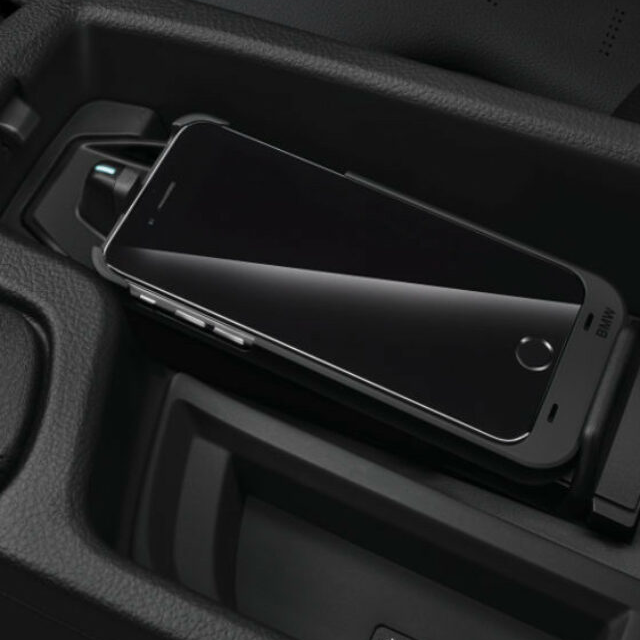
Proper positioning of the phone on the charging pad is crucial. If the phone is not aligned correctly, it may not charge. Ensure that your device is centered on the pad, as even slight misalignments can disrupt the charging process. Some users may not realize that the charging pad has specific areas where the phone must be placed for optimal charging. Taking a moment to adjust the phone’s position can save time and frustration, especially when you’re in a hurry.
Overheating Issues
Overheating is a significant concern with wireless charging. If your phone becomes too hot while charging, it may stop charging altogether as a safety precaution. This is particularly common when using power-intensive applications like navigation or streaming while charging. If you notice your phone overheating, consider removing it from the pad to cool down. Additionally, it may be beneficial to avoid placing the phone on the charger during long drives when you plan to use demanding apps, as this can exacerbate the heating issue.
Software and Firmware Updates
Sometimes, the issue may not be with the hardware but rather with software. Ensure that both your phone and the BMW’s infotainment system are updated to the latest versions. Software updates can resolve bugs that may affect wireless charging functionality. Manufacturers frequently release updates to improve performance and fix known issues, so keeping your devices current is a proactive step in maintaining functionality.
Troubleshooting Steps for Wireless Charging Issues
If you encounter problems with your BMW X4’s wireless charging, follow these troubleshooting steps to identify and resolve the issue. These steps are designed to be straightforward and can often be completed quickly, allowing you to get back on the road with minimal disruption.
Check Device Compatibility
Start by confirming that your phone is compatible with the BMW wireless charging system. Refer to your phone’s specifications to ensure it supports Qi wireless charging. If your device is not compatible, you may need to consider alternative charging methods. Additionally, checking for any manufacturer-specific guidelines regarding wireless charging can provide further clarity on compatibility.
Remove the Phone Case
If your phone is in a case, try removing it and placing the device directly on the charging pad. This simple step can often resolve charging issues caused by interference from the case. Many users find that even slim cases can sometimes obstruct the charging process, so testing without the case is a worthwhile troubleshooting step.
Adjust Phone Positioning
Ensure that your phone is correctly positioned on the charging pad. Center the device and check for any obstructions that may prevent proper contact. If necessary, adjust the position until you see the charging indicator light up. This step is crucial, as even a slight misalignment can prevent the charging process from initiating.
Monitor for Overheating
If your phone tends to overheat while charging, consider removing it from the pad periodically to allow it to cool down. Avoid using power-intensive applications while charging to minimize heat generation. Additionally, parking in shaded areas or using climate control can help keep the interior of the vehicle cooler, further reducing the risk of overheating.
Update Software
Check for any available software updates for both your phone and the BMW’s infotainment system. Keeping your devices updated can help resolve compatibility issues and improve overall performance. Regularly checking for updates is a good habit that can prevent many common issues from arising.
When to Seek Professional Help
If you’ve tried all the troubleshooting steps and your BMW X4’s wireless charging still isn’t working, it may be time to seek professional assistance. There could be underlying hardware issues that require diagnosis and repair by a qualified technician. Recognizing when to seek help can save you time and ensure that your vehicle is functioning optimally.
Physical Damage
Inspect the charging pad and surrounding components for any visible damage. If you notice cracks, dents, or other signs of wear, it may be necessary to replace the charging pad or related hardware. Physical damage can often lead to intermittent charging issues, so addressing these problems promptly is essential.
Consult BMW Service
If the problem persists, consider visiting a BMW service center. Technicians can perform a thorough inspection and identify any issues that may not be immediately apparent. They can also provide guidance on any necessary repairs or replacements. Professional diagnostics can often uncover problems that are not easily identifiable, ensuring that your vehicle’s wireless charging system is restored to full functionality.
Conclusion
Wireless phone charging in the BMW X4 is a convenient feature that enhances the driving experience. However, issues can arise that prevent it from functioning correctly. By understanding the common problems and following the troubleshooting steps outlined in this article, you can often resolve these issues on your own. If all else fails, don’t hesitate to seek professional help to ensure your BMW X4’s wireless charging system is operating at its best.
Related Questions and Answers
1. What should I do if my phone is not charging wirelessly in my BMW X4?
Check for compatibility, remove any phone case, and ensure proper positioning on the charging pad.
2. Can a thick phone case prevent wireless charging?
Yes, thick or metal cases can interfere with the charging process. Removing the case may help.
3. Why does my phone overheat while charging wirelessly?
Overheating can occur due to power-intensive applications running while charging. Remove the phone to cool it down.
4. How can I tell if my phone is compatible with BMW wireless charging?
Check your phone’s specifications to confirm it supports Qi wireless charging.
5. When should I seek professional help for wireless charging issues?
If troubleshooting steps do not resolve the issue, or if you notice physical damage, consult a BMW service center.
How To Purchase:https://looperbuy.com/search?keywords=BMW+X4+Wireless+Phone+Charging