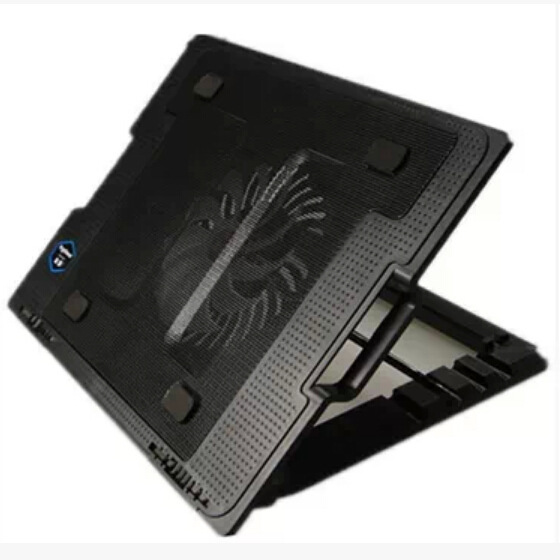
Computer cooling systems, often featuring radiators as key components, are designed to dissipate the heat generated by hardware components during operation. These systems generally consist of several interconnected elements working in harmony to maintain optimal temperatures.
Radiators, in particular, play a crucial role by transferring heat from the coolant liquid to the surrounding air. This process relies on the radiator’s fins and the flow of air across them, typically driven by fans. When functioning correctly, this setup ensures that critical components like CPUs and GPUs operate within safe thermal limits, preventing overheating and potential damage.
Table of Contents
Common Noise Sources in Computer Radiators
Several mechanical and operational factors can disrupt the otherwise silent performance of a computer radiator, leading to various types of noise that may indicate underlying issues.

Mechanical Components and Their Sound Profiles
Fan-Related Noises
The fans attached to radiators are common culprits of noise. As these fans spin to draw or push air through the radiator fins, several issues can manifest sonically.
- Bearing Failures: The bearings within fans facilitate smooth rotation of the blades. Over time, bearing wear can occur due to friction, contaminants, or manufacturing defects. When bearings begin to fail, they produce telltale sounds like high-pitched whines, irregular clicking, or grinding noises. These sounds escalate as the fan speeds increase, often becoming particularly noticeable during CPU or GPU intensive tasks when cooling demands are highest.
- Imbalanced Blades: Physical damage to fan blades, accumulation of dust causing uneven weight distribution, or manufacturing imbalances can lead to vibrations. These vibrations transmit through the fan frame and radiator, generating a buzzing or humming noise. The severity of the noise correlates with the degree of imbalance; even minor inconsistencies can produce audible disturbances at higher RPMs.
- Loose Components: If fan mounting screws loosen or parts of the fan frame become detached, the entire assembly can wobble during operation. This wobbling creates rhythmic tapping or flapping sounds as the fan blades occasionally make contact with the radiator fins or surrounding structures. Such issues not only produce noise but may also accelerate wear on both the fan and radiator components.
Pump-Generated Disturbances (In Liquid-Cooled Systems)
In liquid cooling setups, the pump responsible for circulating coolant through the system can be another noise source.
- Cavitation and Flow Instabilities: When pump speeds are too high relative to the system’s flow resistance, or if air becomes entrapped in the coolant, cavitation can occur. This phenomenon involves the rapid formation and collapse of vapor bubbles within the liquid, creating noisy, irregular knocking or gurgling sounds. Cavitation not only generates noise but can also erode pump components and reduce cooling efficiency over time.
- Bearing and Impeller Wear: Similar to fan bearings, pump bearings and impellers experience wear. Worn impellers may cause turbulent flow patterns, leading to continuous humming or droning noises. Advanced wear might result in metal-on-metal contact within the pump, producing grinding or rattling sounds that necessitate immediate attention to prevent system failure.

Liquid-Cooling Specific Acoustic Issues
Air Trapped in the Cooling Loop
Air pockets inadvertently introduced into the liquid cooling system during filling, top-ups, or due to leaks can significantly impact noise levels.
- Gurgling and Sloshing Sounds: As the pump circulates coolant, trapped air moves through the system, creating gurgling akin to water boiling or the sound of air bubbles rising in a drink. These noises fluctuate with pump speed and system orientation, often becoming more pronounced when the computer’s orientation changes slightly (e.g., moving a desktop PC).
- Hammering Noises: In more severe cases, rapid movement of air bubbles through narrow tubing or fittings can result in water hammer effects. These intense, sharp knocking sounds pose a risk of damaging components due to the sudden pressure changes and mechanical stresses they induce within the cooling system.
coolant flow and system vibrations
The movement of coolant itself, especially at high flow rates, can induce vibrations in tubing and fittings.
- Vibration-Induced Resonance: The rhythmic pulsing of coolant flow may cause tubing, particularly flexible sections, to vibrate against other system components like the radiator, case walls, or graphics cards. This vibration can excite resonant frequencies in these components, resulting in持续的 buzzing or rattling. Identifying the exact point of contact requires careful inspection and often involves isolating sections of tubing to determine where dampening or repositioning is needed.
- Fitting and Connector Noises: Poorly secured or misaligned fittings can loosen over time due to continuous flow-induced vibrations. These loose connections may shift slightly with each pulse of coolant, producing clicking or tapping noises. In extreme cases, they might lead to leaks, which not only cause noise but also compromise the cooling system’s integrity and functionality.
Diagnostic Approaches to Radiator Noise
Identifying the root cause of radiator noise demands a systematic approach, combining visual inspection, auditory analysis, and targeted component testing.
Initial Visual and Tactile Checks
Before diving into complex diagnostics, perform basic inspections that can quickly uncover many common issues.
- Inspecting Fan and Pump Mounting: Check all mounting points for fans and pumps. Look for loose screws, warped mounting brackets, or degraded rubber vibration dampers. Gently grasp the fan or pump and attempt to wiggle them; noticeable movement indicates loose installations that can be easily tightened or resecured.
- Examining Coolant Levels and Leaks: Ensure the cooling system’s coolant level is adequate. Low coolant levels can introduce air into the system or increase flow resistance, exacerbating noise issues. Look for signs of leaks around fittings, radiators, and reservoirs. Even small damp spots or mineral deposits from evaporated coolant hint at leakage points requiring repair.
Auditory Discrimination Techniques
Training your ear to distinguish between different noise types helps narrow down potential causes.
- Mapping Noise to Components: While the computer is running, carefully listen to different components one at a time. Use a piece of cardboard or a sound localization tool to direct sound from specific areas toward your ears. Note whether the noise correlates with fan operation, pump cycling, or seems to originate deep within the radiator assembly itself.
- Varying Workloads to Test Noise Patterns: Run software tools to stress specific hardware components (e.g., Prime95 for CPU stress, FurMark for GPU stress). Observe how the noise characteristics change under different thermal loads. A noise that intensifies during stress tests likely relates to cooling components working harder, pointing to fan, pump, or flow issues. If the noise remains constant regardless of workload, other factors like loose components or electrical interference may be at play.
Advanced Component Isolation and Testing
When initial checks prove inconclusive, more invasive testing may be necessary.
- Fan and Pump Bench Testing: Remove fans and pumps from the computer and operate them individually outside the system using a compatible power supply. Listen carefully for any abnormal noises in a controlled environment free from other system interference. This isolation helps determine if a component is faulty or if its noise results from interactions with other parts within the computer case.
- Pressure and Flow Analysis: For liquid cooling systems, use specialized flow meters and pressure gauges to measure coolant flow rates and system pressure. Compare these measurements against manufacturer specifications or baseline readings taken when the system was functioning properly. Deviations in flow or pressure can indicate blockages, pump performance degradation, or restrictions causing noise-inducing flow patterns.
Mitigation Strategies for Radiator Noise
Once the noise source is identified, several solutions can restore quiet operation to your computer’s radiator system.
Immediate Fixes for Mechanical Noises
Addressing Fan Issues
- Lubricating and Replacing Bearings: For fans with accessible bearings (common in some high-end models), apply a small amount of specialized bearing lubricant. This can rejuvenate worn bearings and reduce friction-related noises. If lubrication doesn’t resolve the issue, or if the fan uses sealed bearings, replacement of the entire fan unit is typically the most cost-effective solution.
- Balancing Fan Blades: If imbalance is suspected, carefully clean the fan blades to remove dust accumulation, which is a common cause of uneven weight distribution. For physical damage, consider blade replacement if individual blades can be serviced. In most consumer fans, however, blade replacement isn’t feasible, making full fan replacement the standard remedy for severe imbalance.
- Securing Loose Components: Tighten all fan mounting screws and check for damaged mounting brackets. If vibration dampers are present between the fan and its mounting points, replace them with new ones to isolate vibrations more effectively. Some aftermarket vibration dampers offer superior isolation properties compared to stock options, providing a worthwhile upgrade for noise-sensitive users.
Pump Noise Reduction Measures
- Adjusting Pump Speeds: If pump-induced cavitation or flow noise is identified, reducing the pump’s RPM (if adjustable) may eliminate the noise. Many liquid cooling pumps feature either physical dials or software interfaces allowing users to fine-tune flow rates. Start with incremental reductions and monitor noise levels and component temperatures to find a balance between adequate cooling and quiet operation.
- Pump Replacement and Upgrades: When pump bearings or impellers are beyond repair, replacement is necessary. Consider upgrading to a higher-quality pump with advanced bearing technologies (e.g., magnetic levitation bearings) or optimized impeller designs that enhance flow efficiency while minimizing noise. Some premium pumps also include built-in vibration dampening features that further reduce transmitted noise.
Long-Term Solutions for Liquid-Cooling Noise
Bleeding the Cooling System
Addressing trapped air requires a systematic bleeding process.
- Draining and Refilling Coolant: Shut down the computer and allow the system to cool. Using a clean container, carefully drain the existing coolant while following manufacturer instructions. Reattach the reservoir and refill with new coolant, ensuring all air is purged from the lines. This often involves running the pump temporarily with the case open, gently tapping radiator and tubing sections to dislodge air bubbles, and topping up coolant until no more air escapes—a process that may take several iterations.
- Implementing Automatic Bleeding Mechanisms: Some radiator reservoir designs incorporate automatic air-bleeding features, such as small vents or float valves that release air without user intervention. Upgrading to a radiator with such technology, or adding an aftermarket bleeding kit to existing systems, can prevent future air-related noise issues and simplify maintenance.
Optimizing Coolant Flow Dynamics
- Reconfiguring Tubing Layouts: Reassess the routing of cooling tubing to eliminate sharp bends, excessive lengths, or areas where tubing comes into contact with vibrating components. Smooth, gradual bends reduce flow resistance and turbulence. Adding cable combs or custom mounting brackets to secure tubing away from potential vibration sources can significantly diminish noise generation.
- Upgrading Fittings and Components: Replace older, potentially restrictive fittings with high-flow alternatives. Consider using compression fittings instead of barb fittings for more secure connections that resist loosening over time. Some premium radiator models feature internal designs that enhance flow distribution and reduce coolant velocity variations, which can lower noise levels even at higher flow rates.
Preventive Maintenance for Noise-Free Radiator Systems
Adopting regular maintenance routines can prevent many noise issues before they arise, ensuring your computer’s radiator system operates smoothly for extended periods.
Routine Inspection Schedules
Establish a quarterly or semi-annual inspection regimen based on your computer’s usage intensity and environment.
- Visual Checks: Periodically power down the system and inspect all cooling components. Look for early signs of fan bearing wear (such as wobbling during manual rotation), pump housing cracks, coolant discoloration indicating contamination, and dust accumulation on radiator fins. Use a flashlight to examine hard-to-see areas and document any findings for comparison over time.
- Cleaning Protocols: Dust buildup not only affects balance but also reduces radiator efficiency. Use compressed air (canned or shop vacuum with blow attachment) to carefully clean radiator fins and fan blades. Avoid using excessive force that might bend fins or blades. For heavily soiled systems, consider a radiator cleaning solution specifically formulated to dissolve dirt without harming thermal compounds or plastic components.
Component Longevity Strategies
Extend the operational life of cooling components through thoughtful usage and environmental controls.
- Operating Environment Adjustments: Keep the computer in a clean, dust-free area with adequate airflow. Avoid locations with temperature extremes, as prolonged exposure to high heat or cold can stress cooling system components. Using dust filters on air intakes reduces the ingress of particulates that contribute to fan imbalance and radiator fouling.
- Smart Thermal Management: Utilize software tools to implement smart fan and pump control profiles. These profiles adjust cooling component speeds based on actual thermal loads rather than running at maximum speeds continuously. By minimizing unnecessary wear on bearings and mechanical parts, you preserve component integrity and reduce the likelihood of noise-inducing failures over time.
Upgrading for Enhanced Reliability
Proactive upgrades can preempt noise issues while improving overall system performance.
- Investing in Quality Components: When upgrading or building a new system, select cooling components with strong reputations for durability and quiet operation. Look for fans with dual-ball bearings or fluid dynamic bearings, pumps with magnetic levitation technologies, and radiators constructed from high-quality materials with efficient fin designs. Though these components may cost more initially, their longer lifespan and superior performance often justify the investment.
- Integrated System Design: Design your cooling system with noise prevention in mind from the start. Opt for larger radiators that can achieve adequate cooling with lower fan speeds, as larger surface areas improve heat dissipation efficiency. Choose wider, slower-spinning fans over smaller, high-RPM ones wherever possible, as they generally produce less noise for equivalent airflow. Consider acoustic dampening materials for the computer case to absorb residual noise before it escapes into your environment.
Conclusion
Computer radiator noise, while often alarming, typically stems from identifiable and resolvable mechanical or operational issues within the cooling system. Through methodical diagnosis—examining fans, pumps, coolant flow, and component interactions—and applying targeted fixes ranging from simple lubrication to component replacement or system reconfiguration, users can restore quiet operation. Implementing preventive maintenance practices further safeguards against future noise disruptions, ensuring that cooling systems function efficiently and unobtrusively. Whether you’re a casual computer user or an enthusiast demanding peak performance, understanding and addressing radiator noise sources empowers you to maintain a harmonious balance between thermal regulation and acoustic comfort in your computing environment.
How to Purchase:https://looperbuy.com/search?keywords=computer+radiator+making+noise
Related Questions & Answers
· Why does my computer radiator make more noise at night?
Computer radiator noise often seems louder at night due to the absence of background ambient sounds that typically mask minor cooling system noises during daytime activities. Additionally, if your cooling system employs temperature-sensitive controls, lower ambient temperatures at night might cause components to operate differently. For example, some systems reduce fan and pump speeds when the computer isn’t under heavy load, but if there’s a mechanical issue like a dry bearing or loose component, the reduced airflow and vibration damping from lower speeds could make existing noises more pronounced. It’s also possible that thermal expansion and contraction of components as the computer cools down after daytime use create slight shifting, exacerbating noise points.
· Can I use household oil to lubricate my computer fan bearings?
While in a pinch some users attempt this, it’s generally not recommended. Household oils (like sewing machine oil or cooking oils) lack the specialized formulations found in bearing lubricants designed for computer fans. These consumer oils may contain additives that leave residues, have inappropriate viscosity that either inhibits proper rotation or allows contaminants to remain within bearings, or may even react chemically with bearing materials over time. For long-term reliability, acquire a small amount of electronic-grade bearing lubricant specifically intended for computer cooling fans. These lubricants are engineered to provide optimal friction reduction, maintain stability across the temperature ranges experienced by computers, and resist degradation that could lead to future noise issues.
· How often should I replace the coolant in my liquid cooling system to prevent noise?
The recommended coolant replacement interval varies based on several factors: the type of coolant used (some have longer-lasting inhibitors and anti-corrosion properties), the openness of your computer’s environment (dusty vs. clean), and the presence of any previous contamination issues. As a general guideline, most manufacturers suggest a complete coolant flush and refill every 1–2 years for closed-loop systems operating in average conditions. However, if your system is frequently exposed to high dust levels, experiences leakage incidents requiring top-ups, or you notice discoloration/cloudiness in the coolant, more frequent changes (every 6–12 months) may be necessary to prevent buildup of particulates or microbial growth that can restrict flow, erode components, and ultimately contribute to noise from pump strain or radiator inefficiency.
· Will upgrading to a larger radiator eliminate all fan noise in my computer?
Upgrading to a larger radiator can significantly reduce fan noise by allowing adequate cooling to be achieved at lower fan speeds, as the increased surface area improves heat dissipation efficiency. However, it’s unlikely to eliminate all fan noise entirely. Other factors like fan quality, mounting techniques, and case airflow dynamics still play roles. Additionally, a larger radiator may introduce new noise considerations if the mounting hardware isn’t properly secured or if the increased size creates vibration points against the computer case. For maximal noise reduction, pair a larger radiator with appropriately sized, high-quality fans optimized for low noise operation at the reduced speeds enabled by the upgraded radiator’s efficiency.
· Are water cooling radiators inherently noisier than air coolers?
Water cooling radiators themselves aren’t inherently noisier than air coolers, but the associated components in liquid cooling systems can introduce noise sources not present in air-cooled setups. While air coolers primarily involve a heatsink and fan (with noise mainly from airflow and fan mechanics), liquid cooling adds pumps and circulating coolant. High-quality, properly maintained liquid cooling systems can actually be quieter than some air coolers, especially at equivalent cooling performance levels where liquid systems may operate fans at lower speeds. However, when issues like pump cavitation, air in the system, or loose radiator mounts occur, liquid cooling can produce unique noises that air coolers don’t exhibit. The noise profile comparison ultimately depends on the specific components used and their installation quality rather than the cooling method category itself.
Hot Tags: Computer Cooling Fan Noise; Liquid Cooling Pump Sounds; Radiator Fan Vibration; Cooling System Maintenance; Fan Bearing Replacement; Computer Cooler Troubleshooting; Noise Reduction Techniques; Liquid Coolant Flow Issues; PC Cooling Upgrades