Table of Contents
The Evolution of Desktop Computer Stands
Once a simple accessory to lift monitors, desktop computer stands have transformed into essential tools for health, productivity, and workspace aesthetics. Modern designs cater to remote workers, gamers, and creative professionals, blending ergonomic engineering with minimalist or industrial styles. This guide explores the latest innovations, materials, and buying criteria to help you choose the perfect stand for your setup.
Types of Desktop Computer Stands
Ergonomic Adjustable Stands
Height-Adjustable Models
These stands feature gas springs or manual knobs to raise monitors to eye level, reducing neck strain. Brands like Ergotron and HUANUO offer stands with 20-inch vertical range and tilt/swivel functions.
- Best For: Users switching between sitting and standing desks.
Multi-Monitor Arms
Sturdy arms like the AmazonBasics Premium Dual Stand hold two 32-inch screens, ideal for programmers and video editors. Look for models with integrated cable management.
Space-Saving and Portable Designs
Foldable Laptop Stands
Lightweight aluminum stands (e.g., Rain Design mStand) elevate laptops to ergonomic heights while doubling as tablet holders. Some include cooling fans to prevent overheating.
Wall-Mounted Stands
Perfect for tiny desks, wall-mounted brackets free up surface space. Brands like VIVO offer articulating arms that extend up to 26 inches.
Aesthetic and Functional Hybrids
Bamboo and Walnut Stands
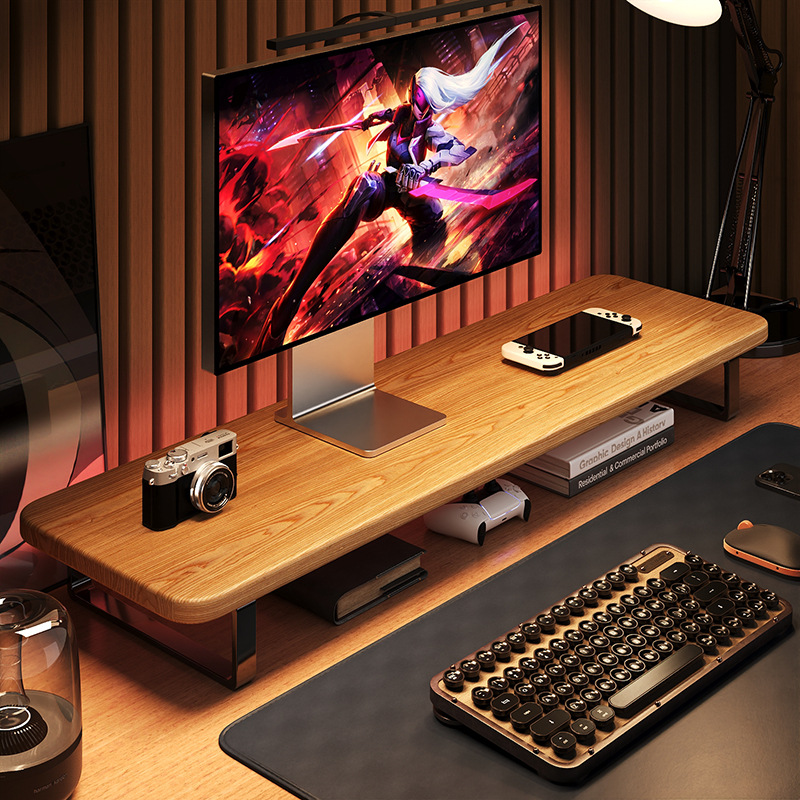
Eco-friendly brands like Grovemade craft stands from sustainable bamboo or walnut, pairing natural textures with hidden USB hubs.
Gaming Stands with RGB Lighting
Stands like Cooler Master ARGB sync with gaming PCs via software, adding customizable LED zones beneath monitors.
Key Features to Consider
Material Durability
- Aluminum: Lightweight and corrosion-resistant (e.g., Twelve South Curve).
- Steel: Supports heavier setups (up to 30 lbs) but adds bulk.
- Acrylic: Affordable but prone to scratches.
Weight Capacity and Compatibility
Ensure the stand supports your monitor’s weight and VESA mount pattern (75x75mm or 100x100mm). Ultra-wide monitors may require reinforced bases.
Cable Management Solutions
Stands with built-in clips or channels (e.g., HUANUO Dual Monitor Stand) keep power and HDMI cords organized.
Additional Functionality
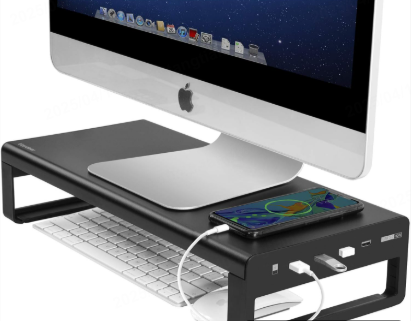
- USB Hubs: Models like Mount-It! MI-725 include 4 USB 3.0 ports.
- Wireless Charging: Stands such as Lamicall Adjustable Dock charge phones via Qi pads.

Health Benefits of Proper Monitor Elevation
Reducing Neck and Eye Strain
Placing monitors 20–30 inches away at eye level prevents slouching and minimizes glare. Studies show proper alignment can reduce migraine frequency by 40%.
Improving Posture for Long Work Hours
Adjustable stands encourage dynamic movement, shifting between seated and standing positions to alleviate lower back pressure.
DIY vs. Pre-Made Stands: Pros and Cons
Custom-Built Stands
Using reclaimed wood or 3D-printed parts allows personalized dimensions and styles. However, DIY projects lack warranties and may not meet weight standards.
Pre-Made Commercial Stands
Brands like FlexiSpot offer tested durability and customer support but limit customization.
Future Trends in Computer Stand Design
- AI-Powered Auto-Adjustment: Stands with sensors that adjust height based on user posture.
- Solar-Powered Charging Stations: Integrated solar panels for eco-conscious users.
- Modular Stands: Interchangeable add-ons like microphone arms or ring lights.

Conclusion
A desktop computer stand is no longer a passive accessory but a critical investment in health and productivity. Whether prioritizing ergonomics, style, or multifunctionality, options like adjustable arms, bamboo designs, or gaming-ready stands cater to diverse needs. By evaluating materials, weight limits, and added features, users can transform cluttered desks into organized, ergonomic powerhouses.
How to Purchase:https://looperbuy.com/search?keywords=desktop+computer+stand
Related Questions & Answers
· What is the ideal height for a monitor stand?
The top of your monitor should align with eye level when seated, typically 20–30 inches from your face. Adjustable stands allow fine-tuning for standing desks.
· Can a computer stand improve laptop cooling?
Yes. Elevated stands like the Rain Design mTower improve airflow, reducing internal temperatures by up to 15°F.
· Are wall-mounted stands suitable for all desks?
No. Wall mounts require sturdy drywall or studs. Avoid them in rental spaces where drilling isn’t permitted.
· How do I clean a wooden computer stand?
Use a microfiber cloth with mild soap. Avoid abrasive cleaners, which can damage finishes like oiled walnut.
· Do gaming stands with RGB lighting consume much power?
Most LED strips use 2–5 watts, adding minimal energy costs. USB-powered models draw energy directly from PCs.
Hot Tags: Ergonomic Monitor Stands; Adjustable Laptop Stands; Wall-Mounted Computer Stands; Bamboo Desk Accessories; Gaming RGB Monitor Stands; VESA Mount Compatibility; USB Hub Integrated Stands; Space-Saving Desk Solutions; Wireless Charging Stands.