Table of Contents
Introduction
In today’s digital age, laptops have become an essential part of our daily lives, used for work, study, and entertainment. However, using a laptop for extended periods can lead to poor posture and discomfort. A computer stand for laptop can significantly improve your ergonomic setup, enhance comfort, and boost productivity. This comprehensive guide explores the world of laptop stands, helping you make an informed decision for your workspace.
Types of Laptop Stands
Adjustable Height Stands
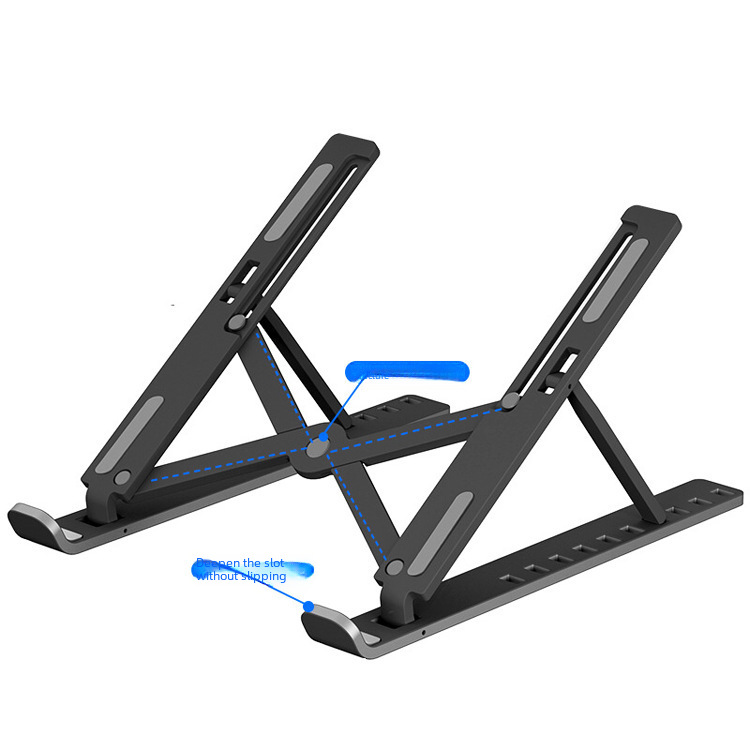
Adjustable laptop stands offer maximum flexibility for your workspace setup. They typically provide multiple height settings ranging from 2 to 17 inches of elevation and adjustable viewing angles to reduce glare and improve screen visibility. These stands feature sturdy bases that support laptops of various sizes and weights, with easy adjustment mechanisms like knobs, sliders, or hinged arms. The best adjustable laptop stand options allow you to fine-tune both height and angle, creating an ergonomic position tailored to your body proportions and desk setup. Look for models with stable bases that won’t wobble during use, especially if you type directly on your laptop.
Portable and Foldable Stands
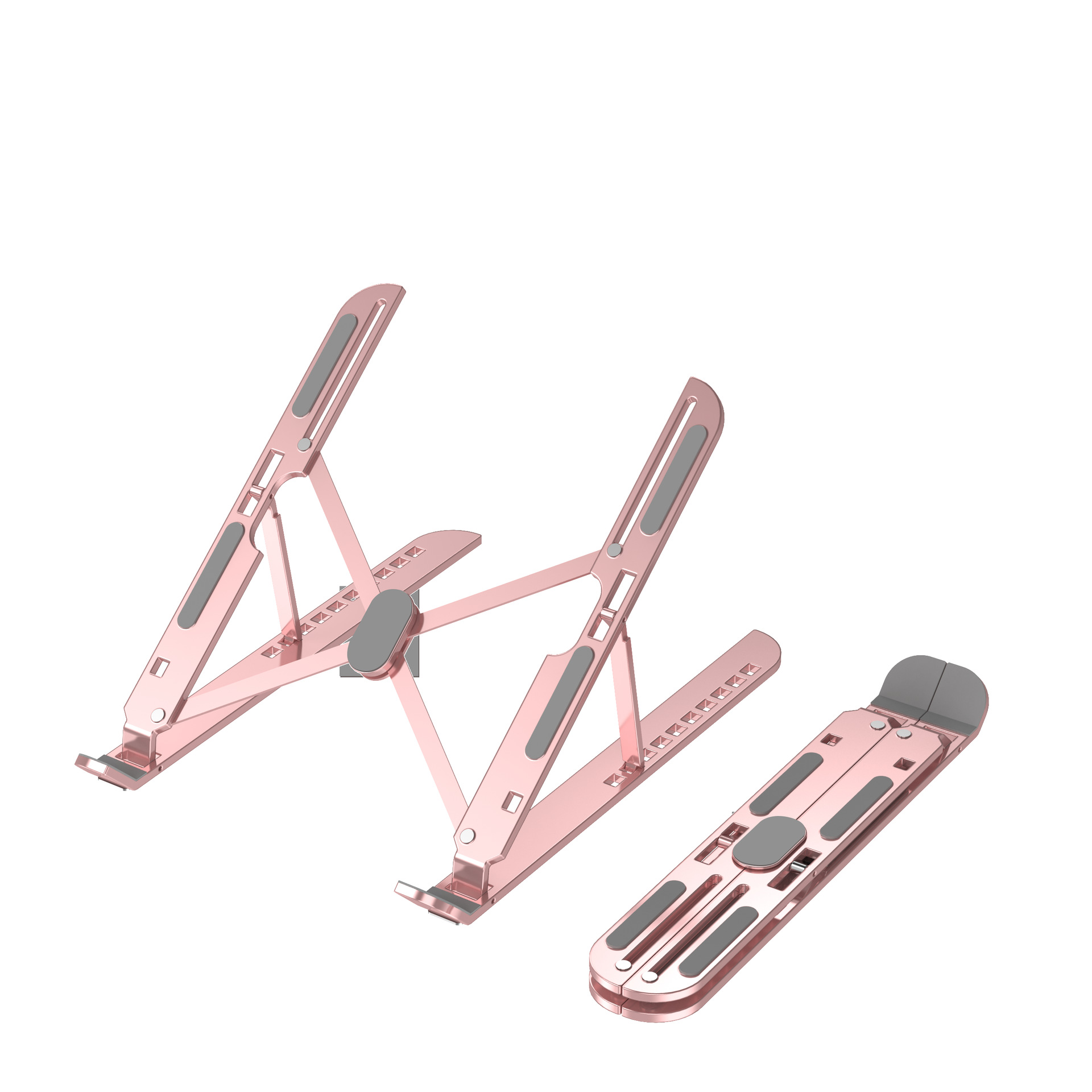
For professionals who work across multiple locations, portable laptop stands offer convenience without sacrificing ergonomics. These stands have compact designs that fold flat for easy transport, made from lightweight materials like aluminum or reinforced plastic. They support laptops up to 17 inches and offer varying levels of height adjustment. Traveler reviews indicate that the most effective portable laptop stand designs balance minimal weight with maximum stability. While they may not provide the same height range as dedicated desk stands, they significantly improve ergonomics compared to working with a laptop flat on a table.
Cooling Stands and Pads
Laptop cooling stands address both ergonomics and thermal management. They feature built-in fans that draw heat away from your device, powered via USB connection to your laptop. Some models also have mesh or ventilated surfaces for passive airflow and multi-fan designs for even cooling distribution. These stands are particularly valuable for gaming laptops, video editing workstations, or any intensive computing tasks that generate significant heat. The active cooling helps maintain performance and extend your device’s lifespan.
Other Types
- Risers: Simple stands designed to lift a laptop off the desk to improve screen height and airflow. They come in different materials like aluminum, plastic, and wood. Aluminum risers are lightweight and durable, while wooden risers add a touch of elegance to a workspace. Risers are a great low-cost, simple solution for those looking to improve their ergonomic setup.
- Folding/Portable Laptop Stands: Designed for travel, these stands are lightweight and collapsible. Many models are made from aluminum, ensuring both durability and minimal weight. They are perfect for professionals who work in multiple locations or do not always work at their desks.
- Ergonomic Laptop Stands: These stands are designed to promote good posture and reduce strain on the neck, back, and wrists. They often feature adjustable height and angle settings, as well as non-slip surfaces to keep your laptop in place.
Key Considerations When Choosing a Laptop Stand
Ergonomics
The primary goal of a laptop stand is to improve ergonomics. Look for stands that allow you to position your laptop at eye level to avoid straining your neck and back. The stand should also provide a comfortable viewing angle and sufficient space for your hands and wrists when typing. Adjustable stands offer the flexibility to fine-tune the height and angle to suit your body proportions and desk setup.
Stability
A stable base is crucial to prevent your laptop from wobbling or slipping. Stands with wider bases and non-slip materials provide better stability. For heavier laptops, ensure the stand can support the weight without compromising stability.
Material and Durability
The material of the laptop stand affects both its durability and aesthetic appeal. Aluminum stands are lightweight, durable, and have a sleek appearance, making them suitable for both home and office use. Plastic stands are more affordable but may not be as durable. Wooden stands add a natural touch to your workspace but are generally heavier and less portable.
Portability
If you frequently work on the go, a portable laptop stand is essential. Look for stands that are lightweight, compact, and easy to fold. Some portable stands come with carrying cases for added convenience.
Additional Features
Consider stands with additional features that enhance functionality. Cooling stands with built-in fans help prevent overheating, while stands with USB ports provide convenient charging options. Cable management features can help keep your workspace tidy. Some stands also offer 360-degree rotation and multi-device compatibility.
Top Brands and Product Reviews
Lamicall Laptop Stand
The Lamicall Laptop Stand is a top choice for many users. It offers multiple height and angle adjustments, a sturdy build, and a well-ventilated design. Made from aluminum alloy, it supports laptops ranging from 10 to 17.3 inches. The large rubber grips ensure your laptop stays in place, and its compact, foldable design makes it portable. However, some users find that typing at higher heights can be slightly bouncy.
Rain Design iLevel2
The iLevel2 stand from Rain Design features a unique spring-loaded design activated by the weight of your laptop. Constructed from anodized aluminum, it has a sleek appearance that matches well with Apple’s MacBooks. The stand provides smooth height and angle adjustments, with four circular rubber grips on top to keep your laptop steady. However, adjusting down can be quite bouncy if not done slowly, and you can’t adjust the height and angle independently.
Twelve South Curve Flex
The Twelve South Curve Flex is an easily portable laptop stand with a minimalist aesthetic. It includes a well-padded travel bag and a small Allen key to tighten or loosen the hinges. The stand can support laptops weighing up to 7 pounds. With the hinges tightened, it offers smooth height and angle adjustments. However, it may not be suitable for very heavy laptops.
Besign Adjustable Laptop Stand
Made with a solid plastic body, the Besign Adjustable Laptop Stand has a triangular structure for maximum stability. It supports laptops weighing up to 44 pounds and has eight preset angles. The height adjusts from 4.7 to 6.69 inches, and it’s compatible with most 10- to 15.6-inch laptops. The stand includes rubber pads to secure your laptop and a fold-out stand for mobile devices. Weighing only 1.39 pounds, it’s easy to carry in a laptop bag.
Soundance Laptop Stand
The Soundance Laptop Stand is made from thickened aluminum alloy, making it one of the sturdiest stands available. It raises your laptop six inches off the desk, but the height and angle cannot be adjusted. However, it can be disassembled into three parts for easy transport. It’s compatible with laptops sized 10 to 15.6 inches and weighs 2.15 pounds.
Upryze Ergonomic Laptop Stand
The Upryze Ergonomic Laptop Stand is highly versatile, allowing you to raise or lower it to the ideal height whether you’re sitting or standing. It can support the largest laptops on the market and quickly folds down for portability. Priced at $70, it offers maximum height of 20 inches and weighs 4.38 pounds.
Mount-It! Laptop Desk Mount
The Mount-It! Laptop Desk Mount is a more permanent solution for your desk. It offers a maximum height of 17 inches and can hold up to 15 pounds. Rotating 300 degrees, it provides flexibility for different viewing angles. Priced at $40 and weighing 11.75 pounds, it’s suitable for those who don’t want to frequently change their desk setup.
Holdoor Projector Stand Laptop Tripod Stand
The Holdoor Projector Stand Laptop Tripod Stand is designed for versatility. It can be used for laptops, projectors, and other electronic equipment. It rises from 17.7 to 47.2 inches and can hold up to 15 pounds. The platform rotates 300 degrees and includes a gooseneck and phone holder. It also comes with its own carrying case, making it extremely portable. Priced at $38 and weighing 5.9 pounds, it’s perfect for presentations or small workspace setups.
How to Choose the Right Laptop Stand
Selecting the right laptop stand depends on your specific needs and preferences. Consider the following steps to make an informed decision:
- Assess Your Workspace: Determine the primary location where you’ll use the stand. If you work at a fixed desk, a larger, more permanent stand with greater height adjustment may be suitable. For those who work on the go, prioritize portability and compact design.
- Evaluate Ergonomic Needs: Consider your posture and comfort. Look for stands that allow you to position your laptop at eye level and provide a comfortable viewing angle. If you experience neck or back pain, an adjustable stand with multiple height and angle settings can help alleviate strain.
- Consider Stability: Ensure the stand has a stable base to prevent wobbling or slipping. This is particularly important if you type directly on your laptop. Stands with wider bases and non-slip materials offer better stability.
- Check Compatibility: Verify that the stand is compatible with your laptop’s size and weight. Most stands support laptops ranging from 10 to 17 inches, but it’s essential to confirm the specific requirements.
- Explore Additional Features: Decide if you need extra features like cooling fans, USB ports, or cable management. These can enhance functionality and convenience.
- Read Reviews: Research user reviews and ratings to gain insights into the performance and durability of different stands. Look for products with positive feedback regarding stability, adjustability, and build quality.
Benefits of Using a Laptop Stand

Improved Ergonomics and Posture
Using a laptop stand helps position your screen at eye level, reducing the need to look down and minimizing strain on your neck and back. This promotes better posture and can alleviate discomfort associated with prolonged laptop use. Adjustable stands allow you to fine-tune the height and angle to suit your body proportions and desk setup.
Enhanced Comfort
A laptop stand provides a more comfortable typing experience by elevating your laptop to a suitable height. This reduces wrist strain and promotes a neutral posture while typing. Stands with non-slip surfaces and adequate space for your hands further enhance comfort during extended use.
Increased Productivity
By improving ergonomics and comfort, a laptop stand can boost your productivity. Reduced physical discomfort allows you to focus better on tasks and work for longer periods without fatigue. The ability to adjust the viewing angle and height can also enhance workflow efficiency.
Better Airflow and Cooling
Cooling stands with built-in fans or ventilated surfaces help prevent overheating of your laptop. This is especially beneficial for gaming laptops or those used for intensive computing tasks. Better airflow can improve performance and extend the lifespan of your device.
Versatility and Adaptability
Laptop stands offer versatility for different work environments and setups. Portable stands allow you to maintain ergonomic posture while working from various locations. Adjustable stands can adapt to different desk heights and user preferences, making them suitable for shared workspaces or those with varying needs.
Aesthetic Appeal
A laptop stand can enhance the overall appearance of your workspace. With various designs and materials available, you can choose a stand that complements your desk setup and personal style. Some stands feature sleek, modern designs, while others offer a more natural, wooden look.
Tips for Using a Laptop Stand
Positioning
Place the laptop stand on a stable, flat surface. Ensure your laptop is securely positioned on the stand, with the screen at eye level. Adjust the angle to minimize glare and create a comfortable viewing experience.
Combining with Other Ergonomic Accessories
For optimal comfort, use the laptop stand in conjunction with other ergonomic accessories. A separate keyboard and mouse can provide additional comfort and flexibility, especially if you type extensively. An external monitor can further enhance your ergonomic setup by allowing you to position the screen at the ideal height and distance.
Regular Cleaning and Maintenance
Keep your laptop stand clean by wiping it with a damp cloth periodically. For stands with cooling fans, ensure the vents remain dust-free to maintain efficient airflow. Check for any loose parts or wear and tear, and tighten or replace components as needed to ensure continued stability and functionality.
Conclusion
A computer stand for laptop is a valuable addition to any workspace, offering numerous benefits for ergonomics, comfort, and productivity. With a wide range of types and brands available, you can select a stand that meets your specific needs and preferences. Consider factors like adjustability, stability, material, portability, and additional features when making your choice. Whether you opt for an adjustable, portable, cooling, or foldable stand, the right laptop stand can transform your workspace and enhance your overall computing experience.
How to Purchase:https://looperbuy.com/search?keywords=computer+stand+for+laptop
Related Questions and Answers
What are the key benefits of using a laptop stand?
The key benefits of using a laptop stand include improved ergonomics and posture, enhanced comfort, increased productivity, better airflow and cooling, versatility and adaptability, and aesthetic appeal. A laptop stand helps position your screen at eye level, reducing neck and back strain. It also provides a more comfortable typing experience, promotes better airflow to prevent overheating, and can enhance the overall appearance of your workspace.
How do I choose the right laptop stand for my needs?
To choose the right laptop stand, assess your workspace and ergonomic needs, evaluate stability, check compatibility with your laptop’s size and weight, explore additional features, and read reviews. Consider whether you need a portable or adjustable stand and prioritize features like cooling fans or USB ports based on your usage.
Are laptop stands suitable for all types of laptops?
Most laptop stands are compatible with laptops ranging from 10 to 17 inches in size. However, it’s essential to check the specific dimensions and weight capacity of the stand to ensure it can support your laptop. Some stands may have limitations regarding weight or screen size, so verify compatibility before making a purchase.
Can a laptop stand help reduce neck and back pain?
Yes, a laptop stand can help reduce neck and back pain by positioning your screen at eye level, minimizing the need to look down. This promotes better posture and reduces strain on your neck and back. Adjustable stands allow you to fine-tune the height and angle to suit your body proportions and desk setup, further enhancing comfort.
How do I maintain my laptop stand?
Regularly clean your laptop stand with a damp cloth to remove dust and debris. For stands with cooling fans, ensure the vents remain dust-free to maintain efficient airflow. Check for loose parts or wear and tear, and tighten or replace components as needed to ensure continued stability and functionality. Store the stand in a dry place when not in use to prolong its lifespan.
What should I look for in a portable laptop stand?
For a portable laptop stand, look for lightweight materials like aluminum or reinforced plastic, compact and foldable designs, and easy setup and breakdown mechanisms. Ensure the stand can support your laptop’s size and weight and offers sufficient stability for comfortable use on the go. Some portable stands come with carrying cases for added convenience.
Hot Tags: Computer Stand for Laptop; Laptop Stand Types; Best Laptop Stand Options; Ergonomic Laptop Stands; Portable Laptop Stands; Cooling Laptop Stands; Adjustable Laptop Stands; Desk Laptop Stands; Gaming Laptop Stands; Laptop Riser.