Table of Contents
Introduction
In today’s digital age, phone charger cords are essential accessories that we interact with daily. They power our devices, enable data transfer, and keep us connected. Understanding the different types of phone charger cords, their features, and applications can help you make informed decisions when selecting the right cord for your needs.
Understanding Phone Charger Cords
What Are Phone Charger Cords?
Phone charger cords are cables equipped with specific connectors at their ends, designed to deliver electrical power and facilitate data transfer between a power source and a mobile device. They serve as the vital link that ensures your phone remains operational and charged.
Evolution of Phone Charger Cords
Over the years, phone charger cords have undergone significant evolution. From the older USB Type-A and Mini-USB connectors to the more modern USB Type-C and Lightning connectors, each advancement has brought improvements in charging efficiency, data transfer speeds, and user convenience.
Types of Phone Charger Cords
USB Type-C
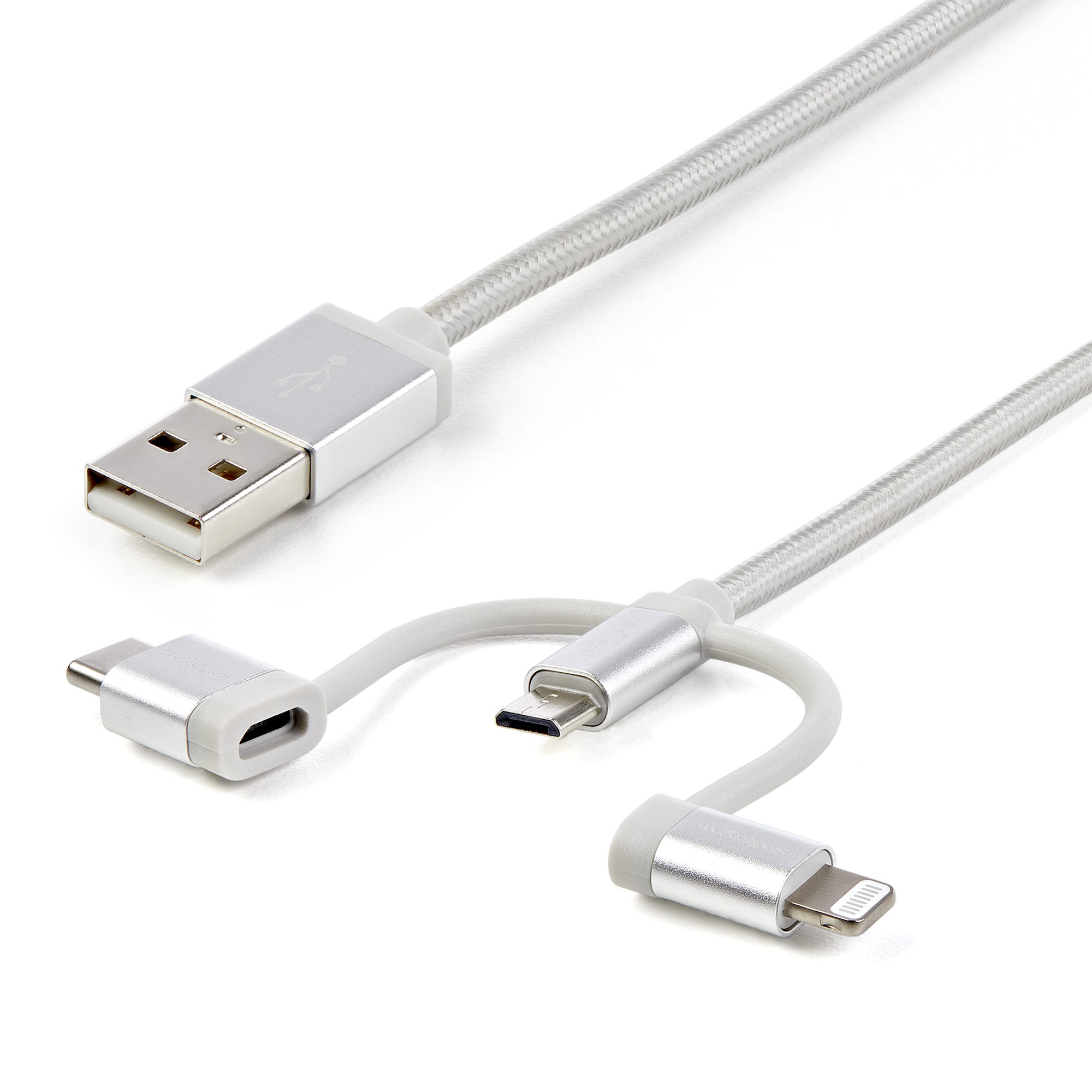
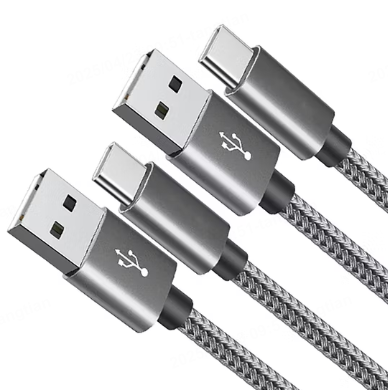
USB Type-C is the latest and most versatile connector in the market. It is characterized by its reversible design, meaning you can plug it into your device in any orientation. This eliminates the frustration of trying to insert the connector the wrong way. USB-C offers numerous advantages, including faster charging speeds, higher data transfer rates of up to 10 Gbps, and the ability to support multiple functionalities such as video output and audio delivery. It is becoming the standard for many devices, including smartphones, tablets, and laptops, due to its superior performance and future-proof design.
Lightning
Lightning connectors are proprietary to Apple and are used for iPhones, iPads, and iPods. They feature a reversible, slim design that makes charging and syncing convenient. Lightning cables have been widely adopted by Apple users and are known for their reliability and compatibility with Apple devices. However, with the growing trend towards USB-C, Apple has also started incorporating USB-C ports in their newer models, such as the iPhone 15 and subsequent generations.
Micro-USB
Micro-USB was once the dominant connector for Android devices and other gadgets. It has a small, flat connector that is not reversible, requiring users to align it correctly when plugging it in. Despite being largely replaced by USB-C in newer devices, Micro-USB is still found in some budget Android phones and older models. It remains a cost-effective option for basic charging and data transfer needs.
USB Type-A
USB Type-A is the traditional rectangular connector that has been a staple in the tech world for many years. It is commonly used for connecting devices like keyboards, mice, and flash drives to computers. While it is still present in some older devices and wall chargers, its usage in modern phones is declining due to its limitations in charging speed and data transfer compared to newer connectors.
Key Features of Phone Charger Cords
Charging Speed
Different phone charger cords support varying charging speeds. USB-C and Lightning connectors are capable of delivering faster charging rates compared to Micro-USB and USB Type-A. Fast charging technology allows you to charge your device more quickly, which is particularly useful when you need to top up your battery in a short amount of time.
Data Transfer
Phone charger cords also serve as data transfer cables. USB-C and Lightning connectors offer faster data transfer speeds, enabling quicker file transfers between your device and a computer. This is beneficial for tasks such as transferring photos, videos, and documents.
Compatibility
Compatibility is an important consideration when choosing a phone charger cord. Ensure that the cord you select matches the charging port of your specific device. For example, if you have an iPhone, a Lightning or USB-C to Lightning cable would be appropriate. For Android devices, a Micro-USB or USB-C cable would typically be required.
How to Choose the Right Phone Charger Cord
Device Compatibility
Identify the type of charging port your device has. Check the bottom of your phone or refer to your device’s documentation to determine whether it uses USB-C, Lightning, Micro-USB, or another type of connector. This will help you select a compatible charger cord.
Charging Needs
Consider your charging requirements. If you need faster charging speeds, opt for a USB-C or Lightning cable that supports fast charging technology. For basic charging needs, a Micro-USB or standard USB Type-A cable may suffice.
Durability
Invest in a durable charger cord that can withstand regular use. Look for cords with reinforced connectors and high-quality materials to ensure longevity. Avoid cords that are frayed or damaged, as they can pose safety risks.
Brand and Quality
Choose charger cords from reputable brands known for their quality and reliability. Well-known brands often provide better build quality, safety certifications, and customer support. Avoid using counterfeit or low-quality cords, as they may not meet safety standards and can potentially damage your device.
Applications of Phone Charger Cords
Daily Use
Phone charger cords are essential for everyday use, allowing you to charge your phone at home, work, or on the go. They enable you to keep your device powered throughout the day and ensure it’s ready for use whenever you need it.
Travel
When traveling, having the right phone charger cord is crucial. A compact and durable cord can be easily packed and used with various power outlets or USB chargers. Consider carrying a universal travel adapter along with your charger cord to accommodate different plug types in different countries.
Data Transfer
Phone charger cords facilitate data transfer between your phone and computer. You can use them to transfer photos, videos, music, and other files, making it convenient to manage your digital content across devices.
Power Banks
Phone charger cords are compatible with power banks, providing a portable charging solution when you’re away from a power outlet. Simply connect your phone to a power bank using the appropriate charger cord, and you can extend your device’s battery life wherever you go.
Benefits of Using Quality Phone Charger Cords
Efficient Charging
Quality phone charger cords deliver efficient charging, reducing the time it takes to power up your device. This ensures that your phone is ready for use more quickly and helps maintain optimal battery health by avoiding overcharging or undercharging.
Reliable Data Transfer
High-quality cords provide reliable and fast data transfer, minimizing the risk of data corruption or transfer failures. This is particularly important when transferring large files or sensitive information.
Safety and Durability
Reputable brands manufacture their charger cords with safety in mind, adhering to strict safety standards and regulations. These cords are built to last, with durable materials and construction that can withstand bending, pulling, and other stresses of everyday use.
Compatibility and Convenience
Using the right charger cord for your device ensures compatibility and convenience. It allows you to take full advantage of your device’s charging and data transfer capabilities without compatibility issues or the need for additional adapters.
Maintenance and Care Tips for Phone Charger Cords
Proper Handling
Handle your phone charger cord with care. Avoid bending or twisting it excessively, as this can damage the internal wires and connectors. When inserting the connector into your device or power source, ensure it is aligned correctly to prevent damage to the port or connector.
Storing Cords
Store your charger cords in a cool, dry place when not in use. Avoid缠绕 them too tightly, as this can cause stress on the cord and lead to fraying or breakage over time. Consider using cord organizers or wrappers to keep them neatly coiled and protected.
Inspecting for Damage
Regularly inspect your charger cords for signs of wear and tear, such as fraying, exposed wires, or damaged connectors. If you notice any damage, discontinue using the cord immediately to avoid potential safety hazards or damage to your device.
Cleaning
Keep your charger cords clean by wiping them with a soft, dry cloth periodically. Remove any dirt, dust, or debris that may have accumulated on the connectors or along the cord. Avoid using water or harsh chemicals, as they can damage the cord’s materials and electrical components.
Troubleshooting Common Issues with Phone Charger Cords
Charging Problems
If your phone isn’t charging properly, first check the charger cord for damage. Ensure it is securely connected to both the power source and your device. Try using a different power outlet or charger to rule out issues with the power source. If the problem persists, the charger cord may be faulty and need to be replaced.
Data Transfer Issues
If you’re experiencing data transfer problems, verify that the charger cord is properly connected to both your device and computer. Restart your device and computer to see if that resolves the issue. In some cases, updating your device’s software or drivers may help improve data transfer functionality.
Compatibility Concerns
If you’re unsure whether a charger cord is compatible with your device, refer to your device’s documentation or check the manufacturer’s website for recommended charger types. Using incompatible cords can potentially damage your device or prevent it from charging and transferring data correctly.
The Future of Phone Charger Cords
Trends and Innovations
The future of phone charger cords continues to evolve with technological advancements. We can expect to see further improvements in charging speeds, data transfer capabilities, and connector designs. Wireless charging technology is also becoming more prevalent, offering a convenient alternative to traditional wired charging cords.
Standardization Efforts
There are ongoing efforts towards standardizing phone charger cords to enhance compatibility and reduce e-waste. The adoption of USB-C as a universal charging standard by many manufacturers is a significant step in this direction. As standardization progresses, users can expect greater convenience and flexibility in using charger cords across different devices.
Conclusion
Phone charger cords play a vital role in keeping our devices powered and connected. By understanding the different types of charger cords, their features, and how to choose the right one for your device, you can ensure efficient charging, reliable data transfer, and optimal device performance. Proper maintenance and care of your charger cords will extend their lifespan and help you avoid potential issues. As technology continues to advance, staying informed about new developments in charger cord technology will allow you to make the most of your devices and adapt to future charging solutions.
How to Purchase:https://looperbuy.com/search?keywords=phone+charger+cord
Q: What are the common types of phone charging cables?
The common types of phone charging cables include USB Type-C, Lightning, Micro-USB, and USB Type-A. USB Type-C is a newer, reversible connector that offers fast charging and data transfer. Lightning is used by Apple devices and also features a reversible design. Micro-USB is an older connector still found in some budget Android phones. USB Type-A is the traditional rectangular connector commonly used with computers and some older devices.
Q: How can I identify my phone’s charger type?
To identify your phone’s charger type, check the charging port on your device. If it’s a slim, reversible connector, it’s likely Lightning (for Apple devices). A small, flat connector that’s not reversible indicates Micro-USB (common in older Android devices). A small, reversible connector suggests USB-C (used in newer Android devices and some Apple models). You can also refer to your device’s user manual or search online for your phone model and its corresponding charger type.
Q: Are all USB-C cables the same?
Not all USB-C cables are the same. While they share the same connector shape, they can vary in terms of specifications and capabilities. Some USB-C cables may support higher power delivery for faster charging, while others may offer different data transfer speeds. It’s important to check the cable’s specifications to ensure it meets your device’s requirements and your desired charging and data transfer needs.
Q: Can I use a USB-C cable with my Lightning port device?
No, you cannot directly use a USB-C cable with a Lightning port device, as the connectors are different and won’t fit. However, you can use an adapter cable that converts between USB-C and Lightning to enable compatibility between the two.
Q: What is the difference between fast charging and regular charging?
Fast charging technology allows your phone to charge more quickly than regular charging. It typically involves higher power delivery, often measured in watts (W). Fast charging can provide a significant amount of battery life in a shorter period of time, which is especially useful when you need to quickly top up your device. However, not all phones and charger cords support fast charging, so it’s important to ensure both your device and charger are compatible with fast charging standards to take advantage of this feature.