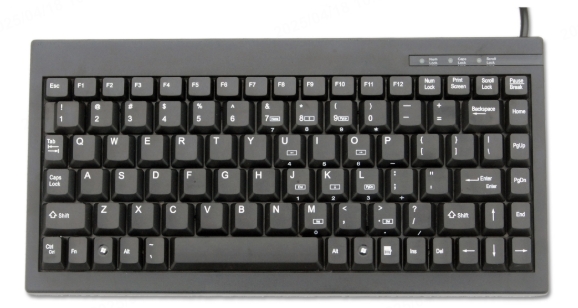
The computer keyboard is one of the most essential input devices, yet its layout can significantly impact typing speed, comfort, and efficiency. While QWERTY remains the dominant layout, alternatives like Dvorak, Colemak, and ergonomic designs offer different advantages. This guide explores the history, benefits, and drawbacks of various keyboard layouts to help you choose the best one for your needs.
Table of Contents
The Evolution of Keyboard Layouts
1. The QWERTY Layout: Origins and Dominance
Developed in the 1870s for mechanical typewriters, the QWERTY layout was designed to prevent jamming by spacing out frequently used letters. Despite its inefficiencies, it remains the standard due to widespread adoption.
2. Alternative Layouts: Dvorak and Colemak
Dvorak Simplified Keyboard (DSK): Designed in the 1930s to increase typing efficiency by placing common letters on the home row.
Colemak: A modern alternative that retains some QWERTY familiarity while optimizing finger movement for speed and comfort.
3. Regional Variations: AZERTY, QWERTZ, and Others
AZERTY (France/Belgium): Swaps Q and A, with other modifications for French typing.
QWERTZ (Germany/Central Europe): Swaps Y and Z to accommodate German language needs.
Choosing the Right Keyboard Layout
1. Typing Speed and Efficiency
QWERTY is familiar but less optimized for speed.
Dvorak and Colemak reduce finger movement, potentially increasing typing speed over time.
2. Ergonomics and Comfort
Split and ergonomic keyboards reduce strain by promoting a more natural hand position.
Alternative layouts like Dvorak may help prevent repetitive strain injuries (RSI).
3. Language and Regional Needs
AZERTY and QWERTZ are better suited for French and German typists.
Some languages (e.g., Chinese, Japanese) use input methods beyond standard layouts.
4. Gaming and Specialized Use
Gamers often prefer QWERTY due to muscle memory.
Programmers may benefit from layouts with easier access to symbols.
Custom and Ergonomic Keyboard Designs
1. Split Keyboards
Reduce wrist strain by allowing a more natural hand position.
Popular models include the Microsoft Sculpt and Kinesis Advantage.
2. Ortholinear and Matrix Layouts
Keys are aligned in a grid rather than staggered, improving finger movement efficiency.
Used in custom mechanical keyboards like the Planck.
3. One-Handed and Compact Keyboards
Designed for space efficiency or accessibility (e.g., gaming keypads).
How to Switch Keyboard Layouts
1. Software-Based Layout Changes
Windows, macOS, and Linux allow easy switching between layouts.
Tools like Microsoft Keyboard Layout Creator enable custom layouts.
2. Physical Keyboard Replacements
Mechanical keyboards often support hot-swappable keycaps for layout changes.
Some keyboards (e.g., ErgoDox) are fully programmable.
3. Learning a New Layout
Typing tutors (e.g., TypingClub, Keybr) help transition to Dvorak or Colemak.
Expect an adjustment period of several weeks.
Conclusion
Choosing the right keyboard layout depends on typing habits, ergonomic needs, and language requirements. While QWERTY remains the default, alternatives like Dvorak and Colemak offer efficiency benefits, and ergonomic designs can improve comfort. Experimenting with different layouts can lead to a better typing experience.
How to Purchase:https://looperbuy.com/search?keywords=computer+keyboard+layout
Related Questions & Answers
· What is the most efficient keyboard layout?
Dvorak and Colemak are designed for efficiency, reducing finger movement compared to QWERTY.
· Can I use multiple keyboard layouts on one computer?
Yes, operating systems like Windows and macOS allow switching between layouts easily.
· Do ergonomic keyboards really help with wrist pain?
Yes, split and angled keyboards can reduce strain by promoting a more natural hand position.
· Is QWERTY outdated?
While not optimized for speed, QWERTY remains dominant due to familiarity and widespread use.
· How long does it take to learn a new keyboard layout?
Transitioning to Dvorak or Colemak typically takes 4-8 weeks of consistent practice.