Micro USB data transfer cables have become a staple in the world of technology, serving as a vital link between devices for charging and data transfer. This article delves into the significance of micro USB data transfer cables, their functionality, and their applications in everyday life. Understanding these cables is crucial for anyone who relies on electronic devices, as they facilitate seamless connectivity and enhance user experience.
Table of Contents
Understanding Micro USB Data Transfer Cables
Micro USB cables are a type of USB (Universal Serial Bus) connector that has been widely used for various electronic devices. They are particularly known for their compact size, making them ideal for smartphones, tablets, and other portable devices. The micro USB connector is smaller than its predecessor, the standard USB connector, which allows for more streamlined designs in modern electronics. This compactness not only saves space but also contributes to the sleek aesthetics of contemporary gadgets.
The Anatomy of a Micro USB Cable
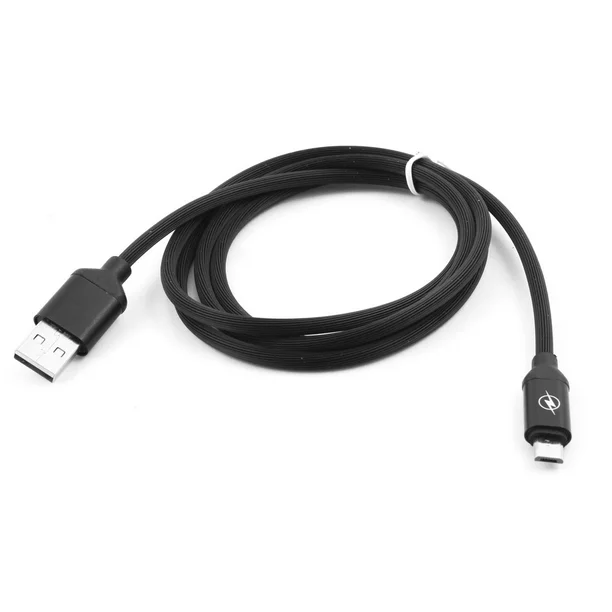
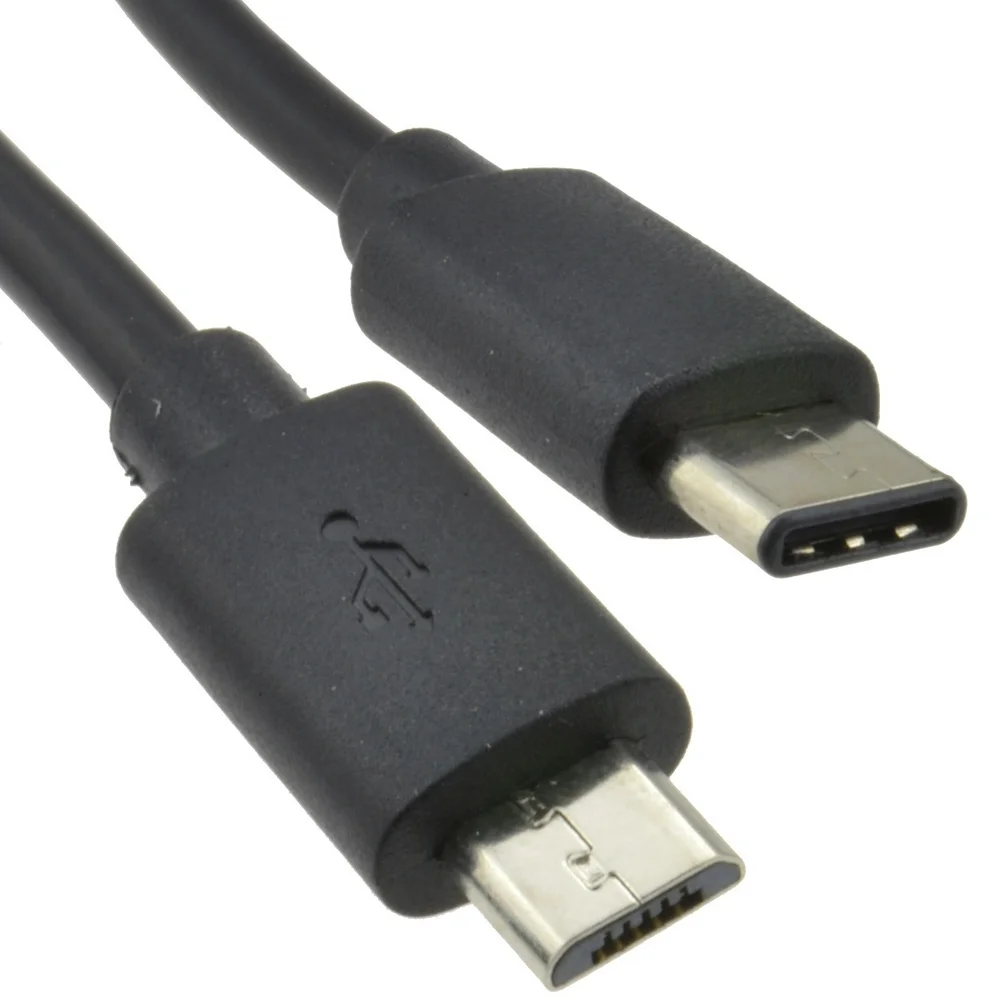
A typical micro USB data transfer cable consists of two main components: the micro USB connector and the standard USB connector. The micro USB end connects to the device, while the standard USB end connects to a power source or computer. This design allows for both charging and data transfer capabilities. The connectors are designed to fit snugly, ensuring a stable connection that minimizes the risk of disconnection during use. Additionally, the materials used in these cables often include durable plastics and metals, which enhance their longevity and performance.
Types of Micro USB Cables
There are several types of micro USB cables available, each designed for specific purposes. The most common types include:
– Micro USB 2.0: This is the standard version that supports data transfer speeds of up to 480 Mbps. It is widely used for charging and syncing devices, making it a versatile choice for everyday use. Many smartphones and tablets still rely on this type of cable for their basic connectivity needs.
– Micro USB 3.0: This version offers faster data transfer speeds, reaching up to 5 Gbps. It is typically used for devices that require higher bandwidth, such as external hard drives. The increased speed allows for quicker file transfers, which is particularly beneficial for users who frequently move large amounts of data.
– OTG (On-The-Go) Cables: These cables allow devices to act as a host, enabling them to connect to other USB devices like keyboards, mice, and flash drives. This functionality expands the capabilities of mobile devices, making them more versatile and user-friendly.
The Importance of Data Transfer
Data transfer is a crucial function of micro USB cables, allowing users to move files between devices. This capability is essential for various tasks, including:
Syncing Data
Micro USB data transfer cables enable users to sync data between their devices and computers. This is particularly important for backing up important files, updating software, and transferring photos and videos. Regular syncing ensures that users have access to the latest versions of their files, reducing the risk of data loss. Moreover, it allows for easy management of digital content, making it simpler to organize and retrieve important documents.
Charging Devices
In addition to data transfer, micro USB cables are commonly used for charging devices. They provide a reliable connection to power sources, ensuring that devices remain charged and ready for use. The convenience of being able to charge devices quickly and efficiently cannot be overstated, especially in a fast-paced world where staying connected is essential. Many users appreciate the ability to charge their devices from various sources, including laptops, power banks, and wall chargers.
Connecting Peripheral Devices
Micro USB cables can also connect peripheral devices, such as printers and external storage devices, to smartphones and tablets. This versatility enhances the functionality of mobile devices, allowing users to perform tasks that would typically require a computer. For instance, users can print documents directly from their smartphones or transfer files to external drives for additional storage. This capability is particularly useful for professionals who need to manage documents on the go.
Choosing the Right Micro USB Data Transfer Cable
When selecting a micro USB data transfer cable, several factors should be considered to ensure optimal performance and compatibility.
Length of the Cable
The length of the cable can impact its usability. Shorter cables are convenient for travel, while longer cables provide flexibility in connecting devices that are farther apart. It is essential to choose a length that suits your needs. For example, a longer cable may be necessary for use in a home office setup, while a shorter cable might be ideal for charging a phone at a desk. Additionally, some users prefer coiled cables that can stretch to the desired length without creating clutter.
Quality and Durability
Not all micro USB cables are created equal. Higher-quality cables are often made with durable materials that resist wear and tear. Look for cables with reinforced connectors and braided designs for added strength. Investing in a quality cable can save users from the frustration of frequent replacements and ensure reliable performance over time. Furthermore, some manufacturers offer warranties on their cables, providing additional peace of mind for consumers.
Data Transfer Speed
If you frequently transfer large files, consider investing in a micro USB 3.0 cable for faster data transfer speeds. This can significantly reduce the time it takes to move files between devices. For users who regularly work with high-resolution images, videos, or large databases, the speed difference can be a game-changer. Choosing the right cable based on data transfer needs can enhance productivity and streamline workflows.
Common Applications of Micro USB Data Transfer Cables
Micro USB data transfer cables are used in various applications across different devices. Some common uses include:
Smartphones and Tablets
Most Android smartphones and tablets utilize micro USB cables for charging and data transfer. This makes it easy for users to connect their devices to computers for syncing and backing up data. The widespread use of micro USB cables in mobile devices has made them an essential accessory for many users, ensuring that they can maintain their devices’ functionality and performance.
Cameras
Many digital cameras use micro USB cables to transfer photos and videos to computers. This allows photographers to quickly access their media for editing and sharing. The ability to transfer files directly from the camera to a computer simplifies the workflow for photographers, enabling them to focus on their creative processes rather than dealing with cumbersome transfer methods.
Gaming Consoles
Micro USB cables are often used to connect controllers to gaming consoles for charging and data transfer. This ensures that gamers can keep their controllers powered and ready for action. The convenience of being able to charge controllers while playing enhances the gaming experience, allowing users to enjoy longer gaming sessions without interruptions.
E-Readers
E-readers, such as Kindle devices, commonly use micro USB cables for charging and transferring books and documents. This makes it easy for users to manage their digital libraries. The simplicity of connecting an e-reader to a computer for content management has contributed to the popularity of these devices, as users can easily add new titles and organize their reading lists.
Troubleshooting Common Issues
While micro USB data transfer cables are generally reliable, users may encounter some common issues. Here are a few troubleshooting tips:
Cable Not Recognized
If your device does not recognize the cable, ensure that both connectors are securely plugged in. Try using a different USB port or cable to determine if the issue lies with the cable or the device. Sometimes, dust or debris can accumulate in the connectors, preventing a proper connection. Cleaning the connectors gently can often resolve this issue.
Slow Data Transfer Speeds
If you experience slow data transfer speeds, check if you are using a micro USB 2.0 cable instead of a micro USB 3.0 cable. Upgrading to a faster cable can significantly improve transfer speeds. Additionally, ensure that the devices you are connecting support the same data transfer standards to maximize performance.
Charging Issues
If your device is not charging, inspect the cable for any visible damage. A frayed or broken cable can prevent proper charging. Additionally, try using a different power source to rule out issues with the outlet or charger. If the problem persists, it may be worth testing the device with another cable to determine if the issue lies with the cable or the device itself.
Conclusion
Micro USB data transfer cables play a vital role in our daily lives, facilitating the connection between devices for charging and data transfer. Understanding their functionality, types, and applications can help users make informed decisions when selecting the right cable for their needs. As technology continues to evolve, micro USB cables remain a reliable choice for connecting and powering devices. Their versatility and widespread compatibility ensure that they will continue to be an essential accessory for users around the world.
How to purchase:https://looperbuy.com/search?keywords=micro+usb+data+transfer+cable
Related Questions and Answers
1.What devices commonly use micro USB data transfer cables?
Micro USB cables are commonly used with smartphones, tablets, cameras, gaming consoles, and e-readers.
2.Can I use a micro USB cable for charging and data transfer?
Yes, micro USB cables are designed to support both charging and data transfer functions.
3.What is the difference between micro USB 2.0 and 3.0 cables?
Micro USB 2.0 cables support data transfer speeds of up to 480 Mbps, while micro USB 3.0 cables can reach speeds of up to 5 Gbps.
4.How do I know if my micro USB cable is damaged?
Inspect the cable for visible signs of wear, such as fraying or exposed wires. If the cable does not charge or transfer data, it may be damaged.
5.Are there alternatives to micro USB cables?
Yes, USB-C cables are becoming more popular as they offer faster data transfer speeds and reversible connectors, making them a convenient alternative.