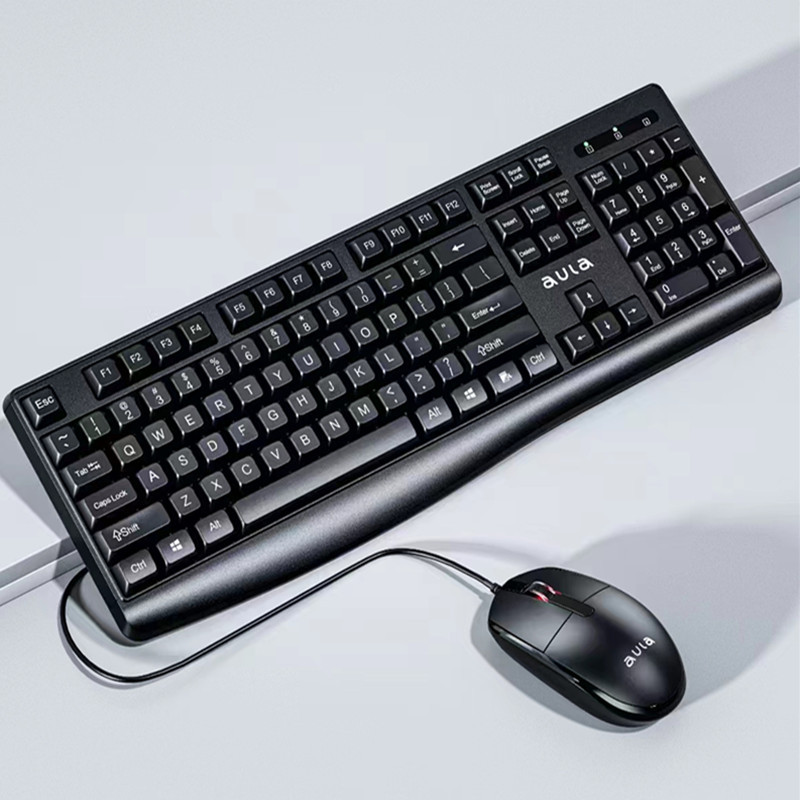
The standard computer keyboard has become an essential tool in our daily lives, serving as the primary interface for interaction with computers and other digital devices. This article explores the evolution, design, functionality, and future of the standard computer keyboard, highlighting its significance in both personal and professional settings.

Table of Contents
The Historical Development of Keyboards
Early Beginnings
The history of keyboards dates back to the early 19th century with the invention of the typewriter. Christopher Latham Sholes, an American inventor, developed the first commercially successful typewriter in 1868. This device laid the groundwork for the modern keyboard layout we use today. The QWERTY layout, designed to reduce jamming in early typewriters, became the standard and is still prevalent in computer keyboards.
Transition to Computer Keyboards

With the advent of computers in the mid-20th century, the typewriter’s design was adapted for digital use. The first computer keyboards were simple and often used a typewriter-style layout. However, as technology advanced, so did the design and functionality of keyboards. The introduction of personal computers in the 1970s and 1980s led to a surge in keyboard innovation, with manufacturers experimenting with different layouts, key switches, and materials.

The Rise of the Personal Computer
The 1980s marked a significant turning point in keyboard design with the rise of personal computers. Companies like IBM introduced keyboards that featured a more robust design and improved functionality. The IBM Model M keyboard, released in 1984, became iconic for its durability and tactile feedback, setting a standard for future keyboards. This era also saw the introduction of the 101-key layout, which included additional function keys and a dedicated numeric keypad, enhancing productivity for users.
Anatomy of a Standard Computer Keyboard
Key Layout and Design
A standard computer keyboard typically features a layout that includes alphanumeric keys, function keys, modifier keys, and a numeric keypad. The most common layout is the QWERTY layout, but variations such as AZERTY and Dvorak exist to cater to different languages and typing preferences.
Key Types
Keyboards can be categorized based on the type of key switches they use. The most common types include:
- Membrane Keyboards: These keyboards use a pressure pad system and are generally quieter and less expensive. However, they may lack tactile feedback.
- Mechanical Keyboards: Known for their durability and tactile feedback, mechanical keyboards use individual mechanical switches for each key. They are favored by gamers and typists for their responsiveness.
- Scissor Switch Keyboards: Often found in laptops, these keyboards use a scissor mechanism to provide a low-profile design while maintaining a good typing experience.
Additional Features
Modern keyboards come with various additional features, including backlighting, programmable keys, and multimedia controls. These enhancements improve usability and cater to specific user needs, such as gaming or professional typing.
Backlighting
Backlit keyboards have become increasingly popular, especially among gamers and those who work in low-light environments. The ability to adjust the brightness or color of the backlighting can enhance the typing experience and make it easier to locate keys in dim conditions.
Programmable Keys
Many modern keyboards offer programmable keys that allow users to assign specific functions or macros to individual keys. This feature is particularly useful for gamers who require quick access to complex commands or for professionals who frequently use specific software.
The Role of Keyboards in Productivity
Enhancing Typing Speed and Accuracy
The design of a standard computer keyboard significantly impacts typing speed and accuracy. Ergonomically designed keyboards can reduce strain on the hands and wrists, promoting better posture and comfort during extended use. Features like key travel distance and tactile feedback play a crucial role in how efficiently users can type.
Ergonomic Keyboards
Ergonomic keyboards are designed to minimize strain on the user’s body. They often feature a split design that allows for a more natural hand position, reducing the risk of repetitive strain injuries. Some ergonomic keyboards also include wrist rests to provide additional support.
Customization and Personalization
Many users prefer to customize their keyboards to suit their typing style and preferences. This can include changing keycaps, adjusting key sensitivity, or even using software to remap keys. Customization allows users to create a more personalized and efficient typing experience.
Keycap Customization
Keycap customization has become a popular trend among keyboard enthusiasts. Users can choose from a wide variety of materials, colors, and designs to create a keyboard that reflects their personal style. This not only enhances the aesthetic appeal of the keyboard but can also improve the tactile experience.
The Future of Keyboards
Emerging Technologies
As technology continues to evolve, so does the standard computer keyboard. Innovations such as touch-sensitive surfaces, virtual keyboards, and even gesture-based controls are being explored. These advancements aim to create more intuitive and flexible input methods that could eventually replace traditional keyboards.
Touch-Sensitive Keyboards
Touch-sensitive keyboards eliminate the need for physical keys, allowing users to type on a flat surface. These keyboards can detect touch pressure and gestures, providing a unique typing experience. While still in the experimental stage, touch-sensitive keyboards could revolutionize how we interact with devices.
Gesture-Based Controls
Gesture-based controls are becoming more prevalent in various devices, including smartphones and tablets. The integration of gesture recognition technology into keyboards could allow users to perform actions with simple hand movements, further enhancing the user experience.
Sustainability and Eco-Friendly Designs
With growing awareness of environmental issues, manufacturers are increasingly focusing on sustainable materials and production methods. Keyboards made from recycled plastics and biodegradable materials are becoming more common, reflecting a shift towards eco-friendly design in the tech industry.
Biodegradable Keyboards
Some companies are developing keyboards made from biodegradable materials that break down over time, reducing electronic waste. These keyboards maintain functionality while being more environmentally friendly, appealing to eco-conscious consumers.
The Impact of Keyboards on Communication
Facilitating Digital Communication
Keyboards play a crucial role in digital communication, enabling users to send messages, create documents, and engage in online discussions. The ability to type quickly and accurately can significantly enhance communication efficiency, whether in a professional or personal context.
The Rise of Remote Work
The COVID-19 pandemic accelerated the shift towards remote work, making keyboards more important than ever. As employees transitioned to home offices, the demand for high-quality keyboards increased. Many individuals invested in ergonomic and mechanical keyboards to improve their comfort and productivity while working from home.
The Psychological Impact of Keyboards
Typing Comfort and User Experience
The comfort of a keyboard can significantly affect a user’s overall experience. A comfortable typing experience can lead to increased productivity and satisfaction, while discomfort can result in frustration and decreased efficiency. Users often develop preferences for specific keyboard types based on their typing habits and ergonomic needs.
The Influence of Keyboards on Learning
For students and professionals alike, the type of keyboard used can influence learning and information retention. Research suggests that typing on a mechanical keyboard may enhance focus and engagement, leading to better learning outcomes. The tactile feedback provided by mechanical switches can help users maintain a rhythm while typing, which may improve retention of information.
The Cultural Significance of Keyboards
Keyboards in Gaming Culture
In the gaming community, keyboards have taken on a cultural significance beyond their functional use. Mechanical keyboards, in particular, have become a status symbol among gamers. The customization options available, such as RGB lighting and unique keycap designs, allow gamers to express their individuality and enhance their gaming setup.
Keyboards in Professional Environments
In professional settings, the choice of keyboard can reflect a company’s culture and values. For instance, tech companies may favor mechanical keyboards for their employees, promoting a culture of efficiency and performance. Conversely, more traditional industries may opt for standard membrane keyboards, emphasizing practicality over aesthetics.
Conclusion
The standard computer keyboard has undergone significant changes since its inception, evolving from a simple typewriter interface to a sophisticated tool that enhances productivity and user experience. As technology advances, the future of keyboards looks promising, with innovations that could redefine how we interact with our devices. Understanding the history, design, and potential future of keyboards can help users make informed choices about their typing tools.
How to purchase:Online B2B sourcing platform, China purchase, Chinese suppliers – LooperBuy
Summary: This article explores the evolution, design, and future of the standard computer keyboard, highlighting its significance in enhancing productivity and user experience. From its historical roots in typewriters to modern innovations, the keyboard remains a vital tool in our digital lives.
Hot Tags: Computer Keyboard; Mechanical Keyboard; Ergonomic Design; Typing Speed; Key Switches; QWERTY Layout; Touchscreen Keyboards; Custom Keyboards; Gaming Keyboards; Wireless Keyboards; Backlit Keyboards; Keyboard Shortcuts; Keyboard Layouts; Portable Keyboards; USB Keyboards; Bluetooth Keyboards; Keycap Customization; Keyboard Maintenance; Virtual Keyboards; Eco-Friendly Keyboards; Keyboard Accessories; Office Equipment; Home Office Setup; Typing Techniques; Keyboard History; Input Devices; Technology Trends; User Experience; Digital Communication; Productivity Tools
Related Questions & Answers
· What are the ergonomic benefits of using a split keyboard?
Split keyboards are designed to reduce strain on the wrists and forearms by allowing a more natural hand position. This can help prevent repetitive strain injuries and improve overall comfort during typing.
· How do wireless keyboards impact productivity and desk space?
Wireless keyboards eliminate cable clutter, providing a cleaner workspace and allowing for more flexibility in positioning. They can enhance productivity by enabling users to work from various locations without being tethered to a desk.
· What are the best practices for maintaining and cleaning a standard computer keyboard?
To maintain a keyboard, regularly remove dust and debris using compressed air, wipe down the keys with a damp cloth, and avoid eating or drinking near the keyboard to prevent spills.
· What are the most common keyboard layouts besides QWERTY and why are they used?
Besides QWERTY, common layouts include AZERTY, used in French-speaking countries, and Dvorak, designed for efficiency and speed. These layouts cater to different languages and typing preferences.
· How do different key switch types (e.g., Cherry MX, membrane) affect typing experience and performance?
Different key switch types offer varying levels of tactile feedback, actuation force, and noise. Mechanical switches like Cherry MX provide a distinct feel and durability, while membrane switches are quieter and often less expensive.
· What are the potential long-term health impacts of prolonged keyboard use and how can they be mitigated?
Prolonged keyboard use can lead to repetitive strain injuries, carpal tunnel syndrome, and other musculoskeletal issues. To mitigate these risks, users should take regular breaks, maintain proper posture, and consider ergonomic keyboard designs.