Table of Contents
Introduction
In the world of PC building and maintenance, cooling is a critical aspect that can significantly affect performance and longevity. Among the various cooling solutions available, 120mm computer radiator fans have emerged as a popular choice for both gamers and professionals. This article delves into the features, benefits, and recommendations for 120mm radiator fans, providing a comprehensive overview for enthusiasts looking to optimize their systems.
Understanding 120mm Radiator Fans
What Are 120mm Radiator Fans?
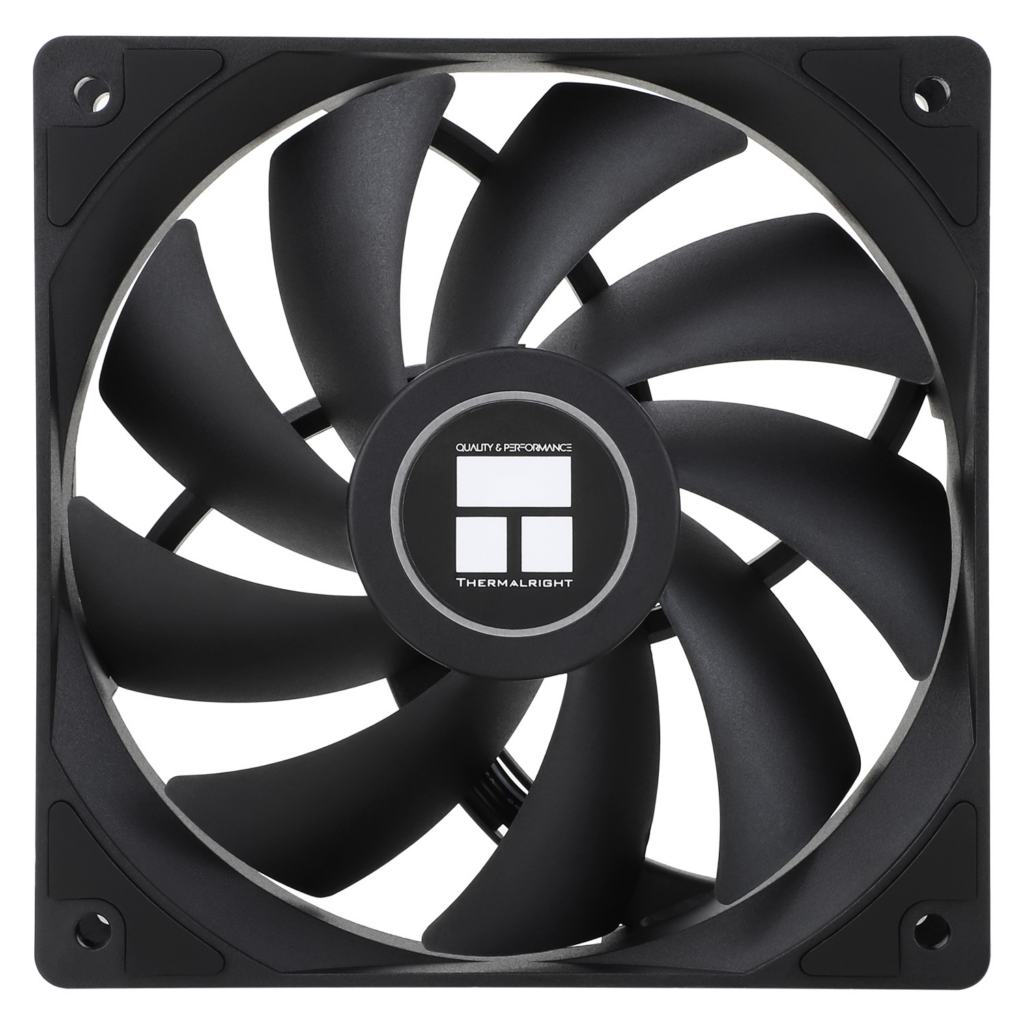
120mm radiator fans are specifically designed to fit 120mm mounting points on radiators, which are commonly used in liquid cooling systems. These fans play a crucial role in dissipating heat generated by the CPU and GPU, ensuring that the components operate within safe temperature ranges. The size of the fan allows for a balance between airflow and noise levels, making them a preferred choice for many builds.
Key Features of 120mm Radiator Fans
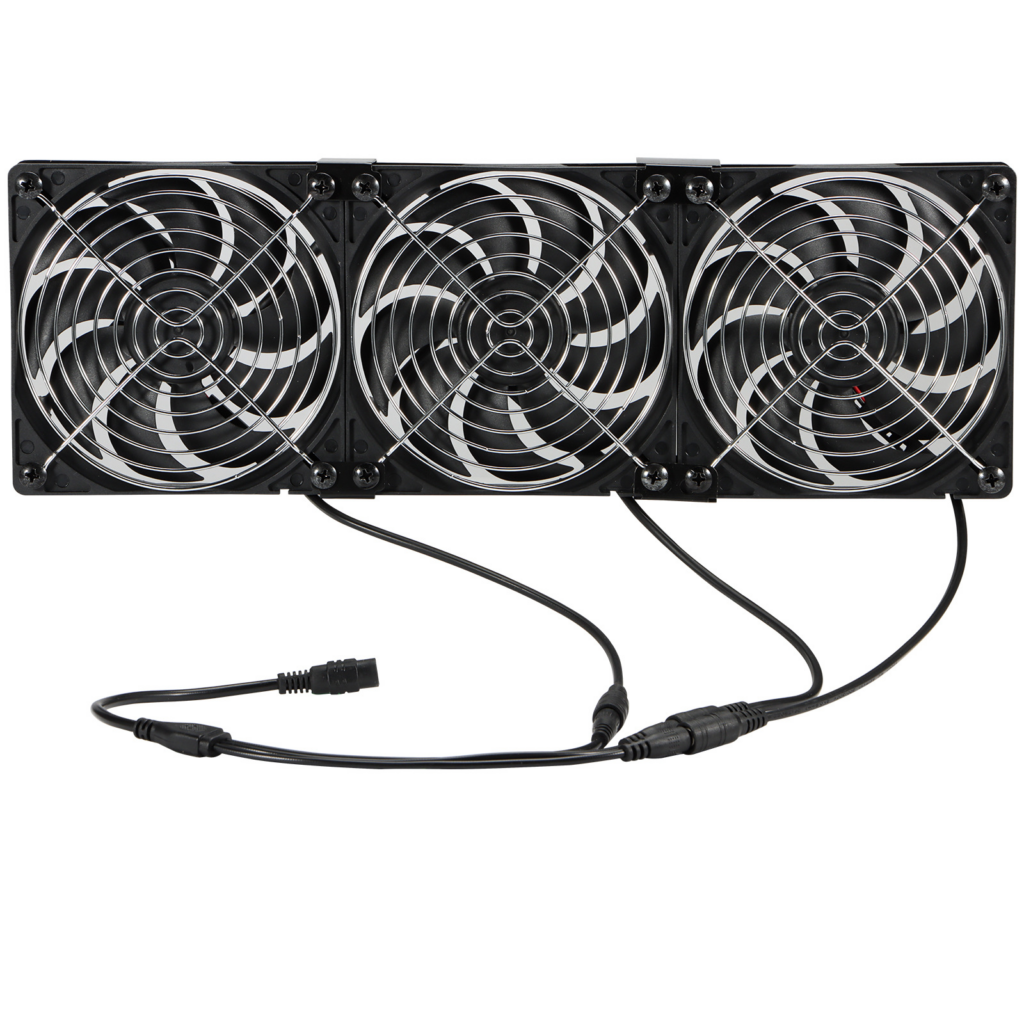
When selecting a 120mm radiator fan, several features should be considered:
- Airflow and Static Pressure: Airflow is measured in cubic feet per minute (CFM), while static pressure is crucial for pushing air through dense radiator fins. A fan with high static pressure is essential for effective cooling in a radiator setup.
- Noise Levels: Measured in decibels (dB), noise levels can vary significantly between models. Fans designed for quiet operation often feature advanced bearing systems and optimized blade designs.
- PWM Control: Pulse Width Modulation (PWM) allows for dynamic speed adjustments based on temperature, providing efficient cooling while minimizing noise during low-load scenarios.
- Build Quality: The materials used in the fan’s construction can affect durability and performance. Look for fans with high-quality bearings and robust frames.
Additional Features to Consider
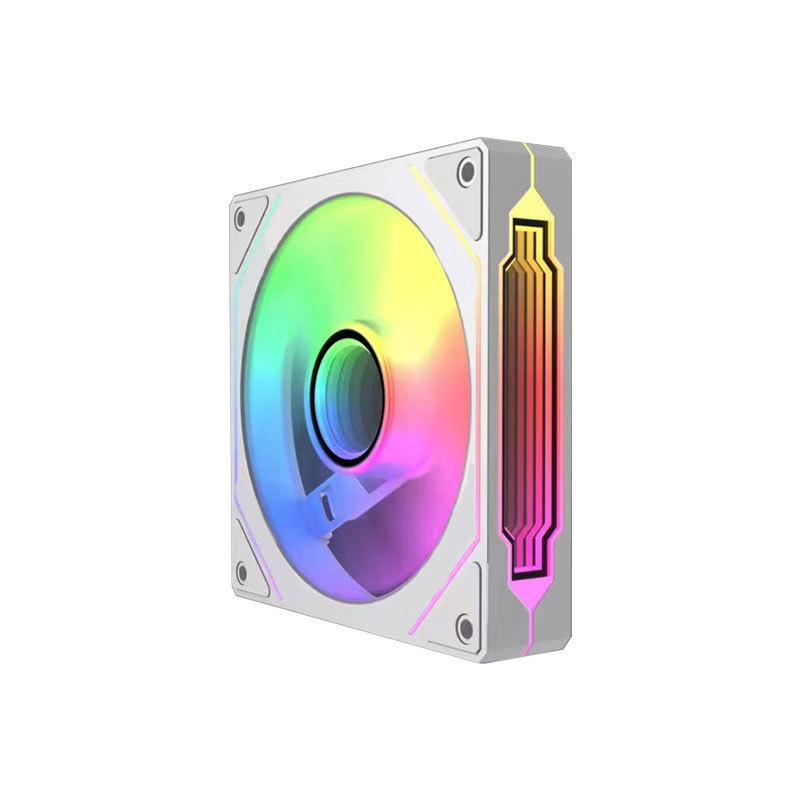
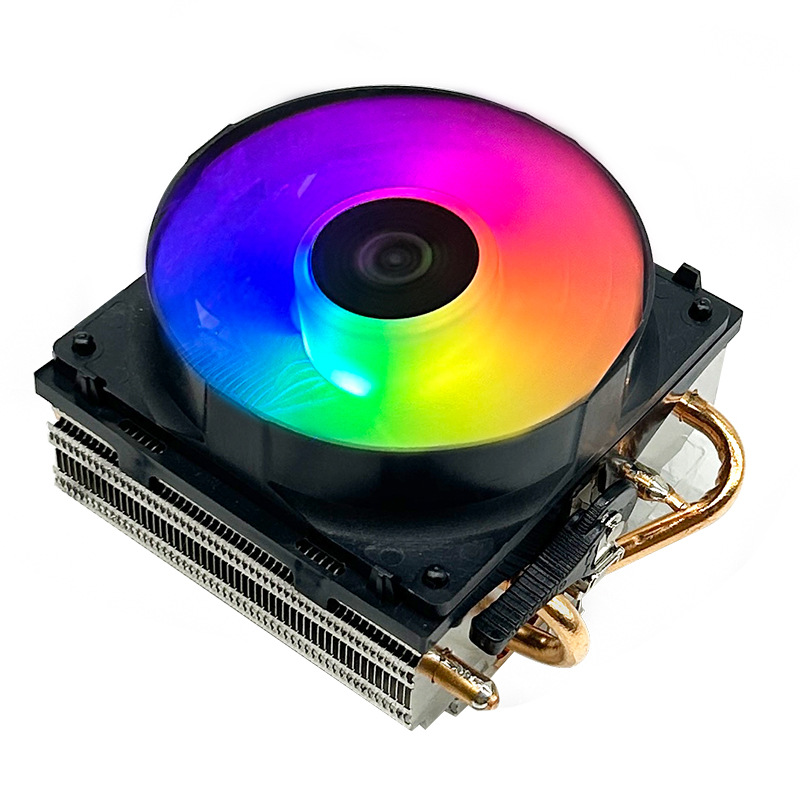
- RGB Lighting: Many modern 120mm fans come equipped with RGB lighting, allowing users to customize the look of their builds. This feature is particularly appealing for gamers and those who enjoy showcasing their systems.
- Fan Blade Design: The design of the fan blades can significantly impact performance. Blades that are curved or have a unique shape can enhance airflow and reduce turbulence, leading to quieter operation and better cooling efficiency.
- Bearing Types: Different types of bearings, such as sleeve, ball, or fluid dynamic bearings, can affect the lifespan and noise levels of the fan. Fluid dynamic bearings are often preferred for their longevity and quiet operation.
Benefits of Using 120mm Radiator Fans
Enhanced Cooling Performance
One of the primary advantages of 120mm radiator fans is their ability to provide superior cooling performance. By effectively dissipating heat from the radiator, these fans help maintain optimal operating temperatures for critical components, which can lead to improved performance and longevity.
Versatility in Installation
120mm fans are versatile and can be used in various configurations, including push, pull, or push-pull setups. This flexibility allows users to customize their cooling solutions based on their specific needs and case layouts.
Aesthetic Appeal
Many 120mm radiator fans come with customizable RGB lighting options, allowing users to enhance the visual appeal of their builds. This feature is particularly popular among gamers and PC enthusiasts who want to showcase their systems.
Cost-Effectiveness
Compared to larger fans, 120mm fans are often more affordable while still providing excellent cooling performance. This makes them an attractive option for budget-conscious builders who do not want to compromise on cooling efficiency.
Choosing the Right 120mm Radiator Fan
Factors to Consider
When selecting a 120mm radiator fan, consider the following factors:
- Compatibility: Ensure that the fan is compatible with your radiator and case. Check the specifications for mounting options and clearance.
- Performance Needs: Assess your cooling requirements based on your system’s components. High-performance CPUs and GPUs may require fans with higher airflow and static pressure.
- Budget: While there are many high-end options available, there are also budget-friendly fans that offer excellent performance. Determine your budget and look for fans that provide the best value for your needs.
Recommended Models
- Noctua NF-F12 PWM: Known for its exceptional performance and low noise levels, the NF-F12 is a favorite among enthusiasts. It features a unique blade design that enhances airflow and static pressure.
- Corsair ML120 Pro: This fan utilizes magnetic levitation technology for reduced friction and noise. It also offers customizable RGB lighting, making it a great choice for aesthetic builds.
- Arctic P12 PWM: A budget-friendly option that doesn’t compromise on performance. The P12 offers excellent airflow and static pressure, making it suitable for both case and radiator use.
- be quiet! Silent Wings 3: As the name suggests, this fan is designed for quiet operation. It features a high-quality bearing system and a unique blade design for optimal airflow.
- Thermaltake Riing 12 RGB: This fan combines performance with stunning RGB lighting. It is ideal for users looking to add a visual flair to their builds while maintaining effective cooling.
- Phanteks T30: This fan is known for its high static pressure and airflow, making it an excellent choice for radiators. It also features a unique design that enhances cooling performance while remaining quiet.
- Cooler Master MasterFan MF120L: This fan offers a good balance of performance and price, making it a solid choice for budget builds. It features a simple design with decent airflow and static pressure.
- Deepcool RF120M: This fan is designed for high performance and comes with RGB lighting. It is suitable for both case and radiator use, providing good cooling efficiency.
- Lian Li UNI FAN SL120: This fan features a unique daisy-chain design that simplifies cable management. It also offers excellent airflow and customizable RGB lighting.
- ARCTIC P12 PWM PST: This fan is designed for high performance and low noise levels. It features a unique blade design that enhances airflow and static pressure, making it suitable for radiators.
Installation Tips for 120mm Radiator Fans
Preparing for Installation
Before installing your 120mm radiator fans, ensure you have the necessary tools, including a screwdriver and any mounting hardware that may be required. It’s also a good idea to clean the radiator and surrounding area to ensure optimal airflow.
Installation Steps
- Positioning the Fans: Decide whether you want a push, pull, or push-pull configuration. Push fans draw air through the radiator, while pull fans exhaust air out. A push-pull setup combines both for maximum cooling efficiency.
- Mounting the Fans: Align the fan with the mounting holes on the radiator. Use the provided screws to secure the fan in place. Ensure that the fan’s airflow direction aligns with your intended configuration.
- Connecting the Fans: Connect the fan’s power cable to the motherboard or fan controller. If using PWM fans, ensure they are connected to the appropriate headers for speed control.
- Testing the Setup: Once installed, power on your system and check that the fans are functioning correctly. Monitor temperatures to ensure that the cooling performance meets your expectations.
Maintenance Tips
To ensure your 120mm radiator fans continue to perform optimally, regular maintenance is essential:
- Dusting: Dust can accumulate on the fan blades and radiator fins, reducing airflow. Use compressed air to blow out dust from the fans and radiator regularly.
- Checking Connections: Periodically check the fan connections to ensure they are secure. Loose connections can lead to fans not operating at their full potential.
- Lubrication: If your fans use sleeve or ball bearings, consider applying a small amount of lubricant to the bearings if they start to make noise. This can extend the lifespan of the fan.
- Replacing Old Fans: If you notice a significant drop in performance or increased noise levels, it may be time to replace your fans. Look for newer models that offer improved performance and features.
Advanced Cooling Configurations
Push-Pull Configurations
For users seeking maximum cooling efficiency, a push-pull configuration can be highly effective. This setup involves installing two fans on each radiator: one pushing air into the radiator and the other pulling air out. This configuration can significantly enhance airflow and cooling performance, especially in high-performance systems.
Fan Speed Control
Utilizing fan speed control can help balance cooling performance and noise levels. Many motherboards come with fan control software that allows users to set fan curves based on temperature readings. This feature enables fans to run at lower speeds during idle periods, reducing noise while still providing adequate cooling when needed.
Liquid Cooling Systems
For those looking to take cooling to the next level, integrating 120mm radiator fans into a liquid cooling system can provide exceptional thermal performance. Liquid cooling systems use a pump to circulate coolant through a closed loop, transferring heat away from the CPU or GPU to a radiator where it is dissipated by the fans. This setup can lead to lower temperatures and quieter operation compared to traditional air cooling solutions.
Conclusion
120mm computer radiator fans are an essential component for any PC build that requires effective cooling. With a variety of options available, users can find fans that meet their performance needs and aesthetic preferences. By understanding the features and benefits of these fans, as well as how to choose and install them, you can ensure that your system runs smoothly and efficiently.
How to purchase:Online B2B sourcing platform, China purchase, Chinese suppliers – LooperBuy
Article Summary: This article provides a comprehensive overview of 120mm computer radiator fans, discussing their features, benefits, and recommendations for various models. It also includes installation tips, maintenance advice, and advanced cooling configurations to help users optimize their cooling solutions for better performance and longevity.
Hot Tags: 120mm Fan; Computer Cooling; Radiator Fans; PC Building; Airflow; Static Pressure; PWM Fans; Noctua; Corsair; Arctic; RGB Fans; Silent Operation; Performance Cooling; Budget Fans; Aesthetic PC; Fan Installation; Liquid Cooling; Thermal Management; High-Performance Fans; Quiet Fans; Custom PC; Fan Reviews; Cooling Solutions; PC Components; Gaming PC; Fan Technology; Overclocking; Fan Efficiency; Case Fans; Cooling Performance; Fan Noise Levels
Related Questions & Answers
· What is the difference between static pressure and airflow in fans?
Static pressure refers to the fan’s ability to push air through obstacles like radiator fins, while airflow measures the volume of air the fan can move.
· Can I use 120mm fans in a 140mm space?
Yes, you can use 120mm fans in a 140mm space, but you may need to use adapters or modify the mounting points.
· Are RGB fans worth the extra cost?
RGB fans can enhance the aesthetic appeal of your build, but their performance should be the primary consideration. If aesthetics are important to you, they can be worth the investment.
· How many fans do I need for optimal cooling?
The number of fans needed depends on your system’s components and cooling requirements. Generally, a balanced intake and exhaust setup is recommended.
· What is the best way to clean my radiator fans?
Use compressed air to blow dust out of the fans and radiator. For deeper cleaning, you can remove the fans and wash them with mild soap and water, ensuring they are completely dry before reinstallation.