
Creating an efficient and comfortable workspace is essential in today’s digital age, where many of us spend hours in front of our computers. One of the key components of a well-organized workspace is a suitable computer stand. IKEA, known for its stylish and functional furniture, offers a variety of computer stands that can enhance your productivity and comfort. In this article, we will explore the benefits of using an IKEA computer stand, how to choose the right one for your needs, tips for optimizing your workspace, and additional insights into creating a productive environment.
Table of Contents
Understanding the Importance of a Computer Stand
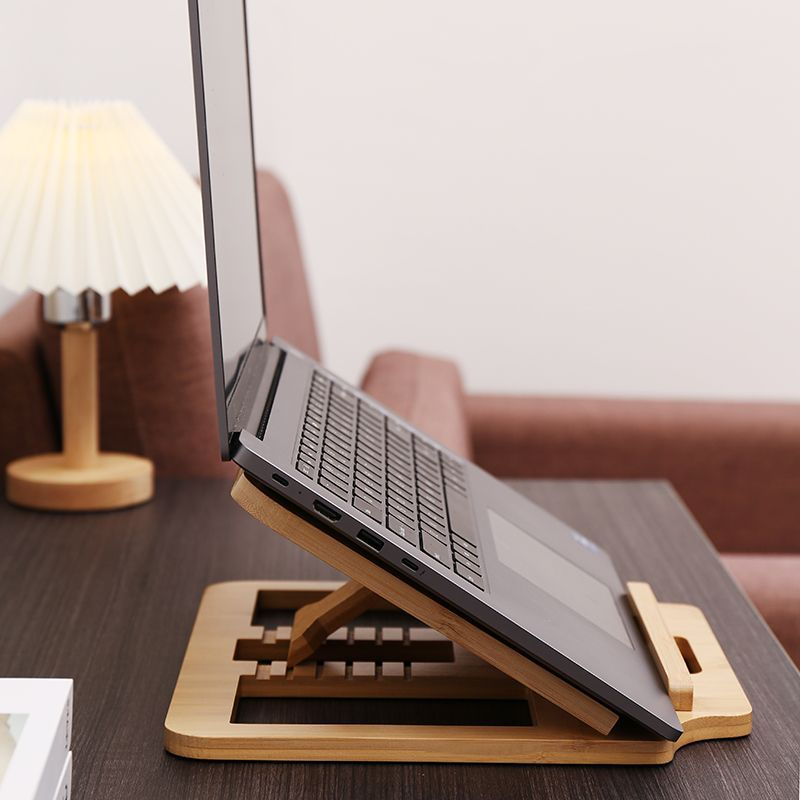
A computer stand is more than just a piece of furniture; it plays a crucial role in your overall health and productivity. Here are some reasons why investing in a computer stand is beneficial:
Ergonomics and Comfort
One of the primary reasons to use a computer stand is to improve ergonomics. A well-designed stand can help you position your monitor at eye level, reducing strain on your neck and back. This is particularly important for those who spend long hours working on a computer. By elevating your screen, you can maintain a more natural posture, which can lead to increased comfort and reduced fatigue.
The Impact of Poor Ergonomics
Poor ergonomics can lead to a range of health issues, including chronic neck pain, back pain, and repetitive strain injuries. According to studies, individuals who work at improperly positioned desks are more likely to experience discomfort and long-term health problems. By using an IKEA computer stand, you can mitigate these risks and create a healthier work environment.
Space Optimization
IKEA computer stands often come with additional storage options, allowing you to maximize your workspace. Many models feature shelves or compartments for storing documents, office supplies, or even your keyboard and mouse when not in use. This helps keep your desk organized and clutter-free, which can enhance your focus and productivity.
Organizing Your Workspace
An organized workspace is crucial for maintaining productivity. When your desk is cluttered, it can be challenging to concentrate on your tasks. By utilizing the storage features of an IKEA computer stand, you can create a more efficient workspace. Consider using drawer organizers or desktop trays to keep smaller items in order.
Aesthetic Appeal
IKEA is renowned for its modern and minimalist designs. Choosing a computer stand from IKEA not only serves a functional purpose but also adds a touch of style to your workspace. With various colors and materials available, you can easily find a stand that complements your existing decor.
Creating a Cohesive Look
When selecting a computer stand, consider how it fits into your overall workspace design. A cohesive look can enhance your mood and motivation. Pair your stand with other IKEA furniture pieces, such as desks and chairs, to create a unified aesthetic. This can make your workspace feel more inviting and conducive to productivity.
Choosing the Right IKEA Computer Stand
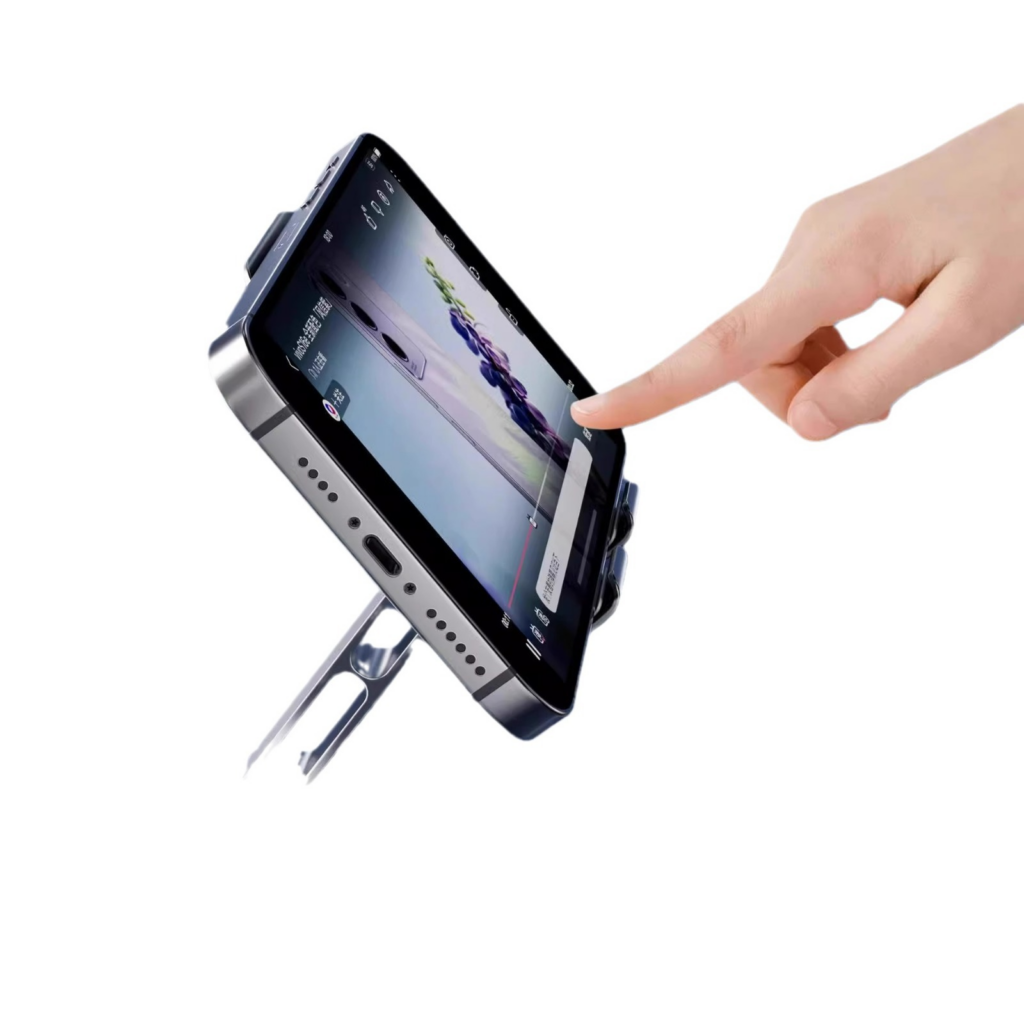
When selecting an IKEA computer stand, consider the following factors to ensure you make the best choice for your workspace.
Size and Dimensions
Before purchasing a computer stand, measure your desk space and the dimensions of your monitor. Ensure that the stand you choose fits comfortably on your desk and can accommodate your monitor’s size. IKEA offers a range of sizes, from compact stands suitable for small desks to larger models that can hold multiple monitors.
Assessing Your Needs
Think about how you use your computer. If you primarily work with a single monitor, a smaller stand may suffice. However, if you frequently switch between multiple screens or use additional equipment, a larger stand with more surface area may be necessary.
Adjustability
Some IKEA computer stands come with adjustable heights, allowing you to customize the position of your monitor. This feature is particularly useful if multiple people use the same workspace or if you prefer to alternate between sitting and standing while working. Look for stands with easy-to-use adjustment mechanisms for maximum convenience.
Benefits of Height Adjustment
Adjustable stands can help accommodate different users and preferences. For instance, if you share your workspace with a partner or colleague, an adjustable stand allows each person to set the monitor height to their liking. Additionally, alternating between sitting and standing can promote better circulation and reduce fatigue.
Material and Durability
IKEA stands are made from various materials, including wood, metal, and plastic. Consider the durability and aesthetic appeal of each material. Wooden stands offer a classic look and sturdy construction, while metal stands can provide a modern touch and are often more lightweight. Choose a material that aligns with your style and needs.
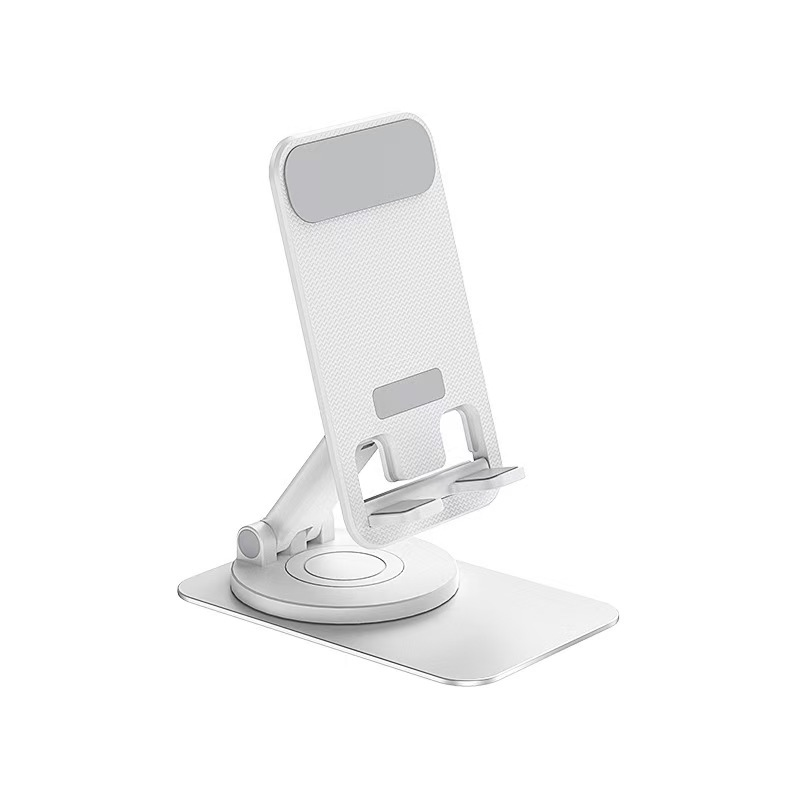
Evaluating Material Choices
When selecting a material, think about how it will hold up over time. Wooden stands may require more maintenance to keep them looking good, while metal stands are often more resistant to wear and tear. Additionally, consider the weight capacity of the stand, especially if you have a larger monitor or additional equipment.
Additional Features
Many IKEA computer stands come with extra features that can enhance your workspace. For example, some models include built-in cable management systems to keep cords organized and out of sight. Others may have integrated lighting or USB ports for added convenience. Evaluate which features are most important to you and how they can improve your workspace.
Cable Management Solutions
Cable management is often overlooked but is essential for maintaining a tidy workspace. A stand with built-in cable management can help prevent tangles and keep your desk looking clean. Consider using cable clips or sleeves to further organize your cords and reduce visual clutter.
Setting Up Your Workspace with an IKEA Computer Stand
Once you’ve chosen the perfect IKEA computer stand, it’s time to set up your workspace for optimal productivity. Here are some tips to help you create an efficient and comfortable environment.
Positioning Your Monitor
The ideal height for your monitor is at or slightly below eye level. When setting up your computer stand, adjust the height so that your eyes naturally align with the top third of the screen. This will help reduce neck strain and promote better posture.
Finding the Right Distance
In addition to height, consider the distance between your eyes and the screen. A general rule of thumb is to sit about an arm’s length away from your monitor. This distance can help reduce eye strain and improve your overall comfort while working.
Organizing Your Desk
Take advantage of the storage options available with your IKEA computer stand. Use the shelves and compartments to keep essential items within reach while minimizing clutter. Consider using organizers or trays to group similar items together, making it easier to find what you need.
Creating Zones
Organizing your desk into zones can enhance your workflow. Designate specific areas for different tasks, such as a zone for your computer, a zone for paperwork, and a zone for supplies. This can help you stay focused and make it easier to transition between tasks.
Personalizing Your Space
Adding personal touches to your workspace can enhance your motivation and creativity. Consider incorporating plants, artwork, or decorative items that inspire you. A well-decorated workspace can make a significant difference in your overall mood and productivity.
The Role of Color
Color can have a profound impact on your mood and productivity. Consider using colors that promote focus and creativity, such as blues and greens. You can incorporate these colors through accessories, artwork, or even the computer stand itself.
Maintaining a Clean Workspace
Regularly clean and declutter your workspace to maintain a productive environment. Dust your computer stand and monitor, and remove any unnecessary items from your desk. A clean workspace can help you focus better and reduce distractions.
Establishing a Cleaning Routine
Creating a cleaning routine can help you stay on top of desk maintenance. Set aside a few minutes at the end of each day to tidy up your workspace. This can prevent clutter from building up and ensure that you start each day with a clean slate.
Enhancing Productivity with Your Computer Stand
Beyond the physical setup of your computer stand, there are several strategies you can implement to enhance your productivity while working.
Time Management Techniques
Incorporating time management techniques can help you make the most of your work hours. Consider using methods such as the Pomodoro Technique, where you work for a set period (e.g., 25 minutes) followed by a short break. This can help maintain focus and prevent burnout.
Utilizing Technology
Leverage technology to streamline your workflow. Use productivity apps to manage tasks, set reminders, and track your progress. Many of these tools can integrate with your computer, making it easier to stay organized and focused.
Creating a Distraction-Free Environment
Minimize distractions in your workspace to enhance concentration. This may involve silencing notifications on your devices, using noise-canceling headphones, or setting boundaries with others during work hours. A distraction-free environment can significantly improve your productivity.
Regular Breaks and Movement
Incorporate regular breaks into your work routine to prevent fatigue and maintain focus. Stand up, stretch, or take a short walk to refresh your mind and body. Movement can help improve circulation and reduce the risk of discomfort associated with prolonged sitting.
Conclusion
Investing in an IKEA computer stand can significantly enhance your workspace’s comfort, organization, and aesthetic appeal. By considering factors such as size, adjustability, and additional features, you can choose the perfect stand to meet your needs. Setting up your workspace thoughtfully will not only improve your productivity but also create a more enjoyable working environment.
In summary, a well-chosen computer stand is an essential component of a functional workspace. With IKEA’s diverse range of options, you can find a stand that fits your style and enhances your work experience. By implementing effective organization strategies and maintaining a clean workspace, you can create an environment that fosters productivity and creativity.
How to purchase:Online B2B sourcing platform, China purchase, Chinese suppliers – LooperBuy
Article Summary:
This comprehensive guide explores the benefits of using an IKEA computer stand, including improved ergonomics, space optimization, and aesthetic appeal. It provides detailed guidance on choosing the right stand based on size, adjustability, material, and additional features. Tips for setting up a productive workspace are included, emphasizing monitor positioning, desk organization, personalization, and cleanliness. The article also discusses strategies for enhancing productivity, such as time management techniques and creating a distraction-free environment.
Hot Tags:
IKEA Computer Stand; Ergonomic Desk Setup; Workspace Organization; Adjustable Monitor Stand; Home Office Furniture; Modern Desk Accessories; Computer Stand with Storage; Minimalist Workspace; Desk Accessories; Office Furniture; Monitor Riser; Cable Management Solutions; Stylish Computer Stand; Compact Desk Solutions; Standing Desk Accessories; Workspace Decor; Productivity Tips; Home Office Setup; Desk Organization Ideas; Ergonomic Furniture; Computer Stand Reviews; IKEA Furniture; Office Ergonomics; Workspace Design; Monitor Stand Benefits; IKEA Office Solutions; Desk Height Adjustment; Workspace Comfort; Home Office Essentials; Computer Stand Features
Related Questions & Answers
· What are the benefits of using a computer stand?
Using a computer stand can improve ergonomics, reduce neck and back strain, optimize desk space, and enhance the overall aesthetic of your workspace.
· How do I choose the right height for my computer stand?
The ideal height for your computer stand should allow your monitor to be at or slightly below eye level, ensuring a comfortable viewing angle.
· Can I use an IKEA computer stand for multiple monitors?
Yes, many IKEA computer stands are designed to accommodate multiple monitors, but be sure to check the dimensions and weight capacity before purchasing.
· What materials are IKEA computer stands made from?
IKEA computer stands are available in various materials, including wood, metal, and plastic, each offering different durability and aesthetic options.
· How can I organize my desk with an IKEA computer stand?
Utilize the storage features of your computer stand, such as shelves and compartments, to keep essential items organized and minimize clutter on your desk.