In the digital age, the keyboard is one of the most vital tools for interacting with computers. Whether you are a gamer, a professional typist, or a casual user, understanding the different types of PC computer keyboards, their features, and how to choose the right one can significantly enhance your computing experience. This article will explore the various aspects of PC keyboards, including their types, features, maintenance, and the latest trends in keyboard technology.
Table of Contents
Understanding PC Computer Keyboards
What is a PC Keyboard?
A PC keyboard is an input device that allows users to enter text, commands, and data into a computer. It consists of a set of keys that represent letters, numbers, and various functions. The keyboard serves as a primary interface between the user and the computer, making it essential for productivity and communication.
The Evolution of Keyboards
The history of keyboards dates back to the early typewriters of the 19th century. The QWERTY layout, which is still widely used today, was developed to reduce jamming in mechanical typewriters. Over the years, keyboards have evolved significantly, incorporating new technologies and designs to improve user experience. From the introduction of the first electric typewriter to the modern mechanical and membrane keyboards, the evolution of keyboards reflects advancements in technology and user needs.
Types of PC Keyboards
Mechanical Keyboards
Mechanical keyboards are known for their tactile feedback and durability. Each key has its own mechanical switch, providing a distinct feel and sound when pressed. This type of keyboard is favored by gamers and typists who appreciate the responsiveness and precision of mechanical switches. Mechanical keyboards come in various switch types, including:
- Cherry MX: One of the most popular switch types, known for its reliability and variety. Cherry MX switches come in different colors, each offering a unique feel and actuation force.
- Razer: Razer switches are designed for gaming, providing fast response times and customizable features.
- Kailh: These switches are often found in budget mechanical keyboards and offer a good balance of performance and cost.
Membrane Keyboards
Membrane keyboards are more common in budget-friendly options. They use a pressure pad system instead of individual mechanical switches. When a key is pressed, it pushes down on a membrane, completing a circuit. While membrane keyboards are generally quieter and more affordable, they may lack the tactile feedback and durability of mechanical keyboards.
Chiclet Keyboards
Chiclet keyboards feature flat, rectangular keys that resemble the shape of chewing gum. They are commonly found on laptops and some desktop keyboards. Chiclet keyboards provide a sleek design and are often more compact, making them suitable for portable devices. However, some users may find the key travel less satisfying compared to mechanical keyboards.
Ergonomic Keyboards
Ergonomic keyboards are designed to reduce strain on the hands and wrists during extended typing sessions. They often feature a split design, allowing for a more natural hand position. Some ergonomic keyboards also include wrist rests and adjustable angles to enhance comfort. These keyboards are ideal for users who spend long hours typing and want to minimize the risk of repetitive strain injuries.
Gaming Keyboards
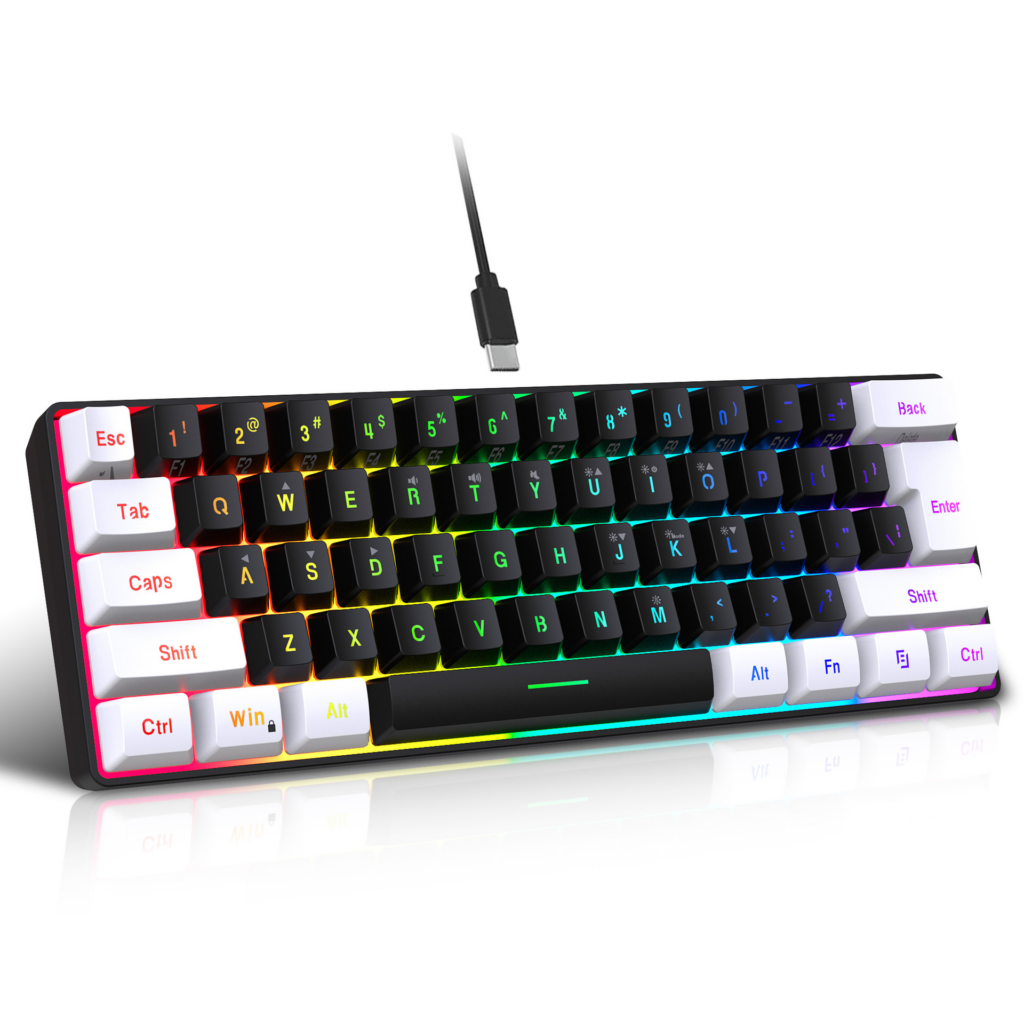
Gaming keyboards are specifically designed for gamers, featuring customizable keys, backlighting, and programmable macros. Many gaming keyboards use mechanical switches for faster response times and durability. They often come with additional features such as anti-ghosting technology, which allows multiple keys to be pressed simultaneously without interference.
Key Features to Consider
Key Switch Types
When choosing a keyboard, the type of key switch is one of the most important factors to consider. Mechanical switches offer tactile feedback and durability, while membrane switches are quieter and more affordable. Understanding the differences between switch types can help you select a keyboard that suits your typing style and preferences.
Backlighting
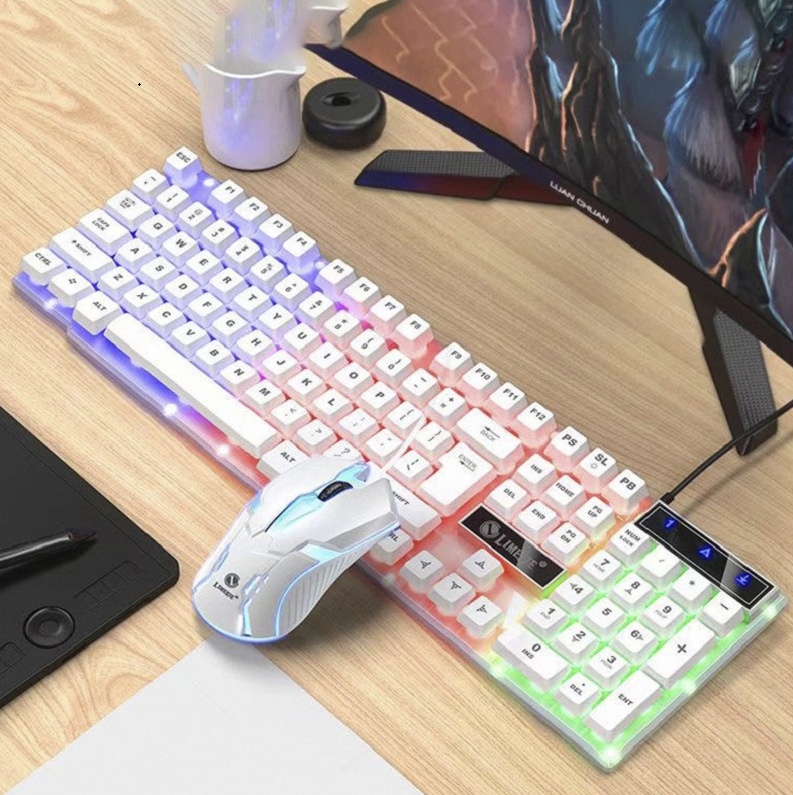
Backlit keyboards are popular for users who work in low-light environments. They feature illuminated keys, making it easier to see the keyboard in dim lighting. Some keyboards offer customizable RGB lighting, allowing users to choose from a wide range of colors and effects.
Build Quality
The build quality of a keyboard can significantly impact its longevity and performance. Keyboards made from high-quality materials, such as aluminum or reinforced plastic, tend to be more durable. Additionally, keyboards with detachable cables are often more convenient for transport and storage.
Additional Features
Many modern keyboards come with extra features that enhance usability. These may include programmable keys, multimedia controls, and USB pass-through ports. Consider what additional features are important to you based on your usage patterns.
Choosing the Right Keyboard for Your Needs
Assessing Your Usage
Before purchasing a keyboard, consider how you plan to use it. If you are a gamer, look for a keyboard with mechanical switches, customizable keys, and backlighting. For office work, an ergonomic keyboard may be beneficial to reduce strain during long typing sessions. Casual users may prefer a budget-friendly membrane keyboard.
Testing Keyboards
Whenever possible, test keyboards in-store to get a feel for their key switches and layout. Pay attention to the tactile feedback, key travel distance, and overall comfort. If you are purchasing online, read reviews and watch videos to gain insights into the keyboard’s performance.
Budget Considerations
Keyboards come in a wide range of prices, from budget options to high-end models. Determine your budget before shopping and consider what features are most important to you. Sometimes, investing a little more in a quality keyboard can enhance your overall computing experience.
Maintenance and Care
Cleaning Your Keyboard
Regular cleaning is essential to maintain the performance and appearance of your keyboard. Dust, crumbs, and debris can accumulate between the keys, affecting functionality. Here are some tips for cleaning your keyboard:
- Unplug the Keyboard: Always disconnect your keyboard from the computer before cleaning.
- Use Compressed Air: Blow out dust and debris from between the keys using compressed air.
- Wipe Down the Surface: Use a damp cloth with mild soap to wipe the surface of the keyboard. Avoid using harsh chemicals that could damage the keys.
- Remove Keycaps: For mechanical keyboards, consider removing the keycaps for a more thorough cleaning. Use a keycap puller to avoid damaging the switches.
Proper Storage
When not in use, store your keyboard in a safe place to prevent damage. If you have a portable keyboard, consider using a protective case to keep it safe during transport. Avoid placing heavy objects on top of the keyboard, as this can cause keys to become stuck or damaged.
The Future of PC Keyboards
Innovations in Keyboard Technology
As technology continues to evolve, so do keyboards. The future of PC keyboards may include advancements such as:
- Smart Keyboards: These keyboards may feature touch-sensitive surfaces, allowing for customizable layouts and functions.
- Wireless Technology: Improvements in wireless technology will likely lead to more reliable and faster connections, reducing latency for gamers and professionals alike.
- Sustainability: As environmental concerns grow, manufacturers may focus on creating keyboards from sustainable materials and implementing eco-friendly production practices.
Customization and Personalization
The trend of customization is becoming increasingly popular in the keyboard market. Users can now choose keycap designs, switch types, and even create their own layouts. This level of personalization allows individuals to tailor their keyboards to their specific needs and preferences.

Conclusion
PC computer keyboards are essential tools for interacting with computers, and understanding their various types, features, and maintenance can significantly enhance your computing experience. Whether you are a gamer, a professional, or a casual user, choosing the right keyboard can improve your productivity and comfort. As technology continues to advance, the future of keyboards promises exciting innovations and customization options that will cater to the diverse needs of users.
How to purchase:Online B2B sourcing platform, China purchase, Chinese suppliers – LooperBuy
Frequently Asked Questions
1. What are the different types of PC keyboards?
PC keyboards include mechanical, membrane, chiclet, ergonomic, and gaming keyboards, each designed for specific uses and preferences.
2. How do I choose the right keyboard for gaming?
Look for a mechanical keyboard with customizable keys, backlighting, and features like anti-ghosting for optimal gaming performance.
3. What is the best way to clean my keyboard?
Unplug the keyboard, use compressed air to remove debris, and wipe the surface with a damp cloth. For mechanical keyboards, consider removing keycaps for thorough cleaning.
4. Are wireless keyboards as reliable as wired ones?
Modern wireless keyboards have improved significantly in terms of reliability and latency, making them suitable for most users, including gamers.
5. How can I customize my keyboard?
Many keyboards offer customizable keycaps, layouts, and programmable keys. Some brands provide software for further customization options.
HOT TAG: PC keyboard types, mechanical vs membrane, gaming keyboards, ergonomic design, keyboard maintenance tips, wireless technology, keyboard customization, typing comfort, latest keyboard innovations, productivity tools.