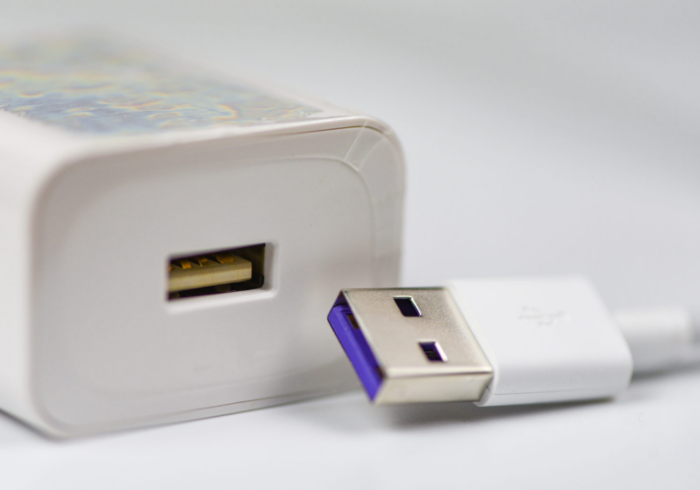
In today’s digital age, USB charging cables are ubiquitous, serving as essential tools for powering devices and facilitating data transfer. However, a common question arises: can a USB charging cable store data? This article will explore the functionality of USB charging cables, their types, and how they differ in terms of data transfer capabilities. We will also discuss practical applications, troubleshooting tips, and best practices for using these cables effectively.
Table of Contents
What is a USB Charging Cable?
Definition and Purpose
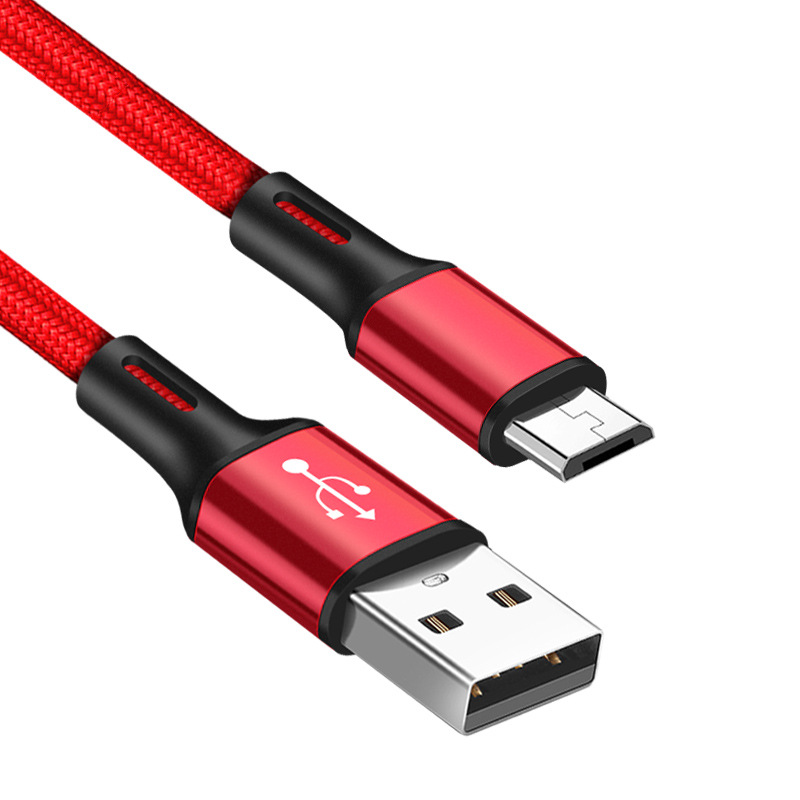
A USB (Universal Serial Bus) charging cable is a type of cable used to connect devices to a power source for charging. These cables come in various types, including USB-A, USB-B, USB-C, and micro USB, each designed for specific applications. While the primary function of a USB charging cable is to deliver power, many cables also support data transfer, allowing users to sync files between devices.
Components of a USB Cable
A typical USB cable consists of several components:
- Connectors: The ends of the cable that plug into devices. Different types of connectors are used for various devices, such as USB-A for computers and USB-C for modern smartphones and tablets.
- Wires: Inside the cable, there are multiple wires that carry power and data signals. The number of wires and their configuration can determine whether the cable supports data transfer.
- Shielding: Many USB cables are shielded to protect against electromagnetic interference, ensuring a stable connection for both power and data.

Types of USB Cables
1. USB-A to USB-B Cables
These cables are commonly used to connect devices like printers and external hard drives to computers. While they can charge devices, they are primarily designed for data transfer.
2. USB-A to Micro USB Cables
Micro USB cables are widely used for charging smartphones and tablets. They support both charging and data transfer, making them versatile for everyday use.
3. USB-A to USB-C Cables
USB-C is the latest standard for USB connections, offering faster data transfer speeds and higher power delivery. These cables can charge devices and transfer data simultaneously, making them ideal for modern electronics.
4. USB-C to USB-C Cables
These cables are used for connecting devices that both have USB-C ports, such as laptops, smartphones, and tablets. They support high-speed data transfer and fast charging.
5. Charge-Only Cables
Some USB cables are designed specifically for charging and do not support data transfer. These cables typically have fewer wires and are often labeled as “charge-only.” They are useful for situations where data transfer is not required, such as charging a device from a power bank.
Can a USB Charging Cable Store Data?
The Functionality of Data Transfer
While USB charging cables can facilitate data transfer, they do not store data themselves. The ability to transfer data depends on the cable’s design and the devices it connects. For a cable to support data transfer, it must have the necessary wiring configuration to carry data signals.
Charge-Only Cables
Charge-only cables are specifically designed to deliver power without the capability to transfer data. These cables typically have only the power wires connected, while the data wires are absent or shorted. As a result, they cannot store or transmit any data.
Data Transfer Cables
In contrast, data transfer cables are equipped with the appropriate wiring to facilitate both charging and data transfer. These cables allow users to sync files, transfer photos, and perform other data-related tasks while charging their devices.

Practical Applications of USB Charging Cables
Charging Devices
The primary use of USB charging cables is to charge devices such as smartphones, tablets, and laptops. Depending on the cable type and the power source, charging times may vary. Fast-charging cables can significantly reduce the time it takes to charge a device.
Data Transfer
USB cables that support data transfer are commonly used to sync files between devices. For example, users can connect their smartphones to a computer to transfer photos, videos, and documents. This functionality is essential for backing up data and managing files.
Connecting Peripherals
USB cables are also used to connect various peripherals, such as printers, external hard drives, and keyboards, to computers. This allows users to expand their device capabilities and enhance productivity.
Troubleshooting USB Charging Cables
Common Issues
While USB charging cables are generally reliable, users may encounter issues from time to time. Some common problems include:
- Cable Not Charging: If a cable is not charging a device, check for damage to the connectors or the cable itself. Ensure that the power source is functioning and that the cable is securely connected.
- Slow Charging: If a device is charging slowly, it may be due to using a low-quality or charge-only cable. Switching to a high-quality data transfer cable can improve charging speed.
- Data Transfer Failures: If a cable is not transferring data, ensure that it is a data-capable cable and that both devices are compatible. Check for any software updates that may be required for proper functionality.
Tips for Maintaining USB Cables
To prolong the life of your USB charging cables, consider the following maintenance tips:
- Avoid Tension: Do not pull or yank on the cable when disconnecting it from a device. Instead, grasp the connector firmly and pull it straight out.
- Store Properly: When not in use, store cables in a cool, dry place. Avoid wrapping them tightly, as this can cause damage to the internal wires.
- Inspect Regularly: Periodically check your cables for signs of wear, such as fraying or exposed wires. Replace any damaged cables to prevent further issues.
Conclusion
Understanding the functionality of USB charging cables is essential for anyone who relies on electronic devices. While these cables are primarily used for charging, many also support data transfer, making them versatile tools for everyday use. By choosing the right cable for your needs and following proper maintenance practices, you can ensure that your devices remain powered and connected.
How to purchase:Online B2B sourcing platform, China purchase, Chinese suppliers – LooperBuy
Frequently Asked Questions
1. Can a USB charging cable store data?
No, a USB charging cable cannot store data. It can facilitate data transfer if it is designed for that purpose, but it does not have the capability to store data itself.
2. What is the difference between charge-only cables and data transfer cables?
Charge-only cables are designed solely for delivering power and do not have the necessary wiring for data transfer. Data transfer cables can both charge devices and transfer data.
3. How can I tell if my USB cable supports data transfer?
You can check the specifications of the cable or look for markings indicating it is a data cable. Additionally, if the cable is used to sync files between devices, it supports data transfer.
4. What should I do if my USB cable is not charging my device?
Check for damage to the cable and connectors, ensure the power source is functioning, and verify that the cable is securely connected. If the issue persists, consider replacing the cable.
5. How can I maintain my USB charging cables?
To maintain your USB cables, avoid pulling on them when disconnecting, store them properly, and inspect them regularly for signs of wear or damage.
HOT TAG: USB charging cable, data transfer capabilities, charge-only cables, charging speed, USB 2.0 vs USB 3.0, cable quality, troubleshooting tips, device connectivity, electronic accessories, user guide, security risks, maintaining cables, practical applications, fast charging, reliable connections.